Starting with Strategy 9.3.x The Flash Debugger Tool will not include Flash Profiler - the "Profile" Tab, by default (Please refer to KB17128 to get more details about what Flash Debugger is).
In order to enable Flash Profiler, the user will need to perform the following steps:
1. Access the WebAdmin page
2. Go to Diagnostics option from the left Menu
3. Under the Diagnostics Configuration the user will see an option to enable or disable Flash Profiler (By default it should be set to Off)
4. Switch that option to On and Save the configuration.

Once the profiler is enabled, the user will see it displayed on the bottom of the page after running a Flash Dashboard or Visual Insight. The profiler will be displayed after the first mouse click on the dashboard:
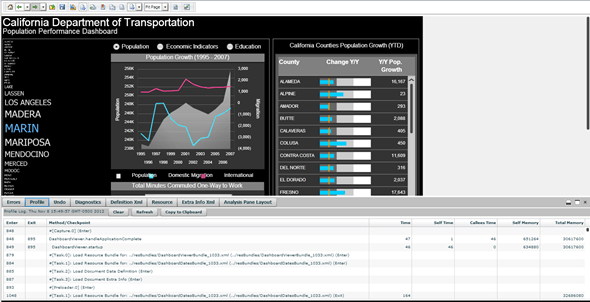
The Profiler is useful when troubleshooting Performance issues in Flash or Visual Insight.
Please note that, since the Flash Profiler will log all the activity occuring in the Flash side, it will have an impact on the dashboard performance, therefore, it is recommended to enable it only for troubleshooting purposes and turn it off once the user is done with the test.
