SYMPTOM:
Users trying to connect to Microsoft Analysis Services Cubes and CognosTM1 Cubes using the Strategy MDX connector can face the error shown below:
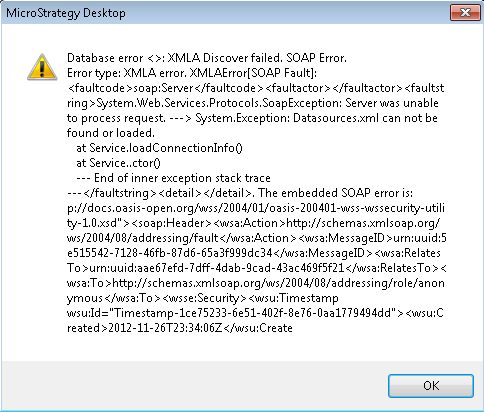
Additionally, users can find the errors shown below in the DSSErrors log:
Sample Code/Error
2012-11-26 18:34:06.620-05:00 Failed to connect to data source. Error message: XMLA Discover failed. SOAP Error.
Error type: XMLA error. XMLAError: <faultcode>soap:Server</faultcode><faultactor></faultactor><faultstring>System.Web.Services.Protocols.SoapException: Server was unable to process request. ---> System.Exception: Datasources.xml can not be found or loaded.
at Service.loadConnectionInfo()
at Service..ctor()
--- End of inner exception stack trace ---</faultstring><detail></detail>. The embedded SOAP error is: p://docs.oasis-open.org/wss/2004/01/oasis-200401-wss-wssecurity-utility-1.0.xsd"><soap:Header><wsa:Action>http://schemas.xmlsoap.org/ws/2004/08/addressing/fault</wsa:Action><wsa:MessageID>urn:uuid:5e515542-7128-46fb-87d6-65a3f999dc34</wsa:MessageID><wsa:RelatesTo>urn:uuid:aae67efd-7dff-4dab-9cad-43ac469f5f21</wsa:RelatesTo><wsa:To>http://schemas.xmlsoap.org/ws/2004/08/addressing/role/anonymous</wsa:To><wsse:Security><wsu:Timestamp wsu:Id="Timestamp-1ce75233-6e51-402f-8e76-0aa1779494dd"><wsu:Created>2012-11-26T23:34:06Z</wsu:Created><wsu:Expires>2012-11-26T23:39:06Z</wsu:Expires></wsu:Timestamp></wsse:Security></soap:Header><soap:Body><soap:Fault><faultcode>soap:Server</faultcode><faultstring>System.Web.Services.Protocols.SoapException: Server was unable to process request. ---> System.Exception: Datasources.xml can not be found or loaded.
at Service.loadConnectionInfo()
at Service..ctor()
--- End of inner exception stack trace ---</faultstring><detail /></soap:Fault></soap:Body></soap:Envelope>. Connection String: SQL-SERVER;. Connection String: SQL-SERVER;. SQL Statement: DISCOVER_DATASOURCES.
CAUSE:
Strategy uses a file called "Datasources.xml" to configure some settings in the MDX connector. In this case the Web Server is not able to reach this specific file. This file should be accessible in the Web Server virtual directory. In general the Strategy installation configures the following path for this purpose: "C:\Program Files (x86)\Strategy\MDX Cube Provider"
Another cause of this issue is that the "Datasources.xml" file contains more than one datasource configured as only one <DataSource> is supported in that file.
ACTION:
Activities below are recommended to solve this issue:
* Verify that the Datasources.xml file is available
* Validate access/permissions to the virtual directory
* Check the name of the file. By default Strategy creates the file as: "Datasources.xml"
Third Party Software Installation WARNING
The third-party product(s) discussed in this technical note is manufactured by vendors independent of Strategy. Strategy makes no warranty, express, implied or otherwise, regarding this product, including its performance or reliability.
