SYMPTOM:
Users may have a requirement to create a metric that counts the unique combination of two different attributes. This can be done in Strategy 9.4.1 and 10.x.
STEPS TO REPRODUCE:
Follow the steps below to create a metric that counts the unique combination of two different attributes:
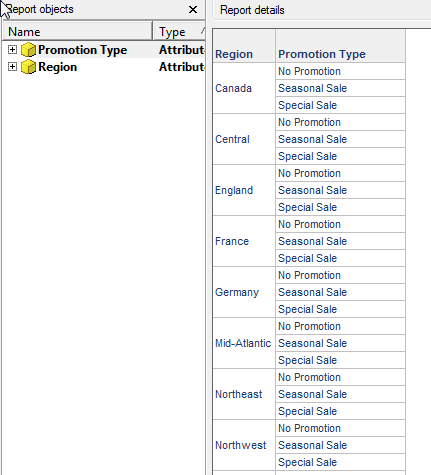
1. Create a report with the attributes Region and Promotion Type as seen below:
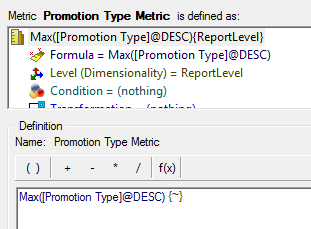
2. Create a metric that is defined as Max(Promotion Type @ DESC). The level of this metric should be report level.
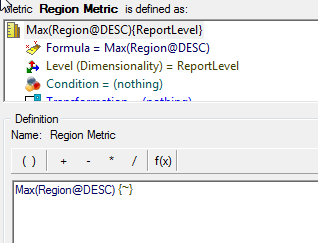
3. Create a second metric that is defined as Max(Region@ DESC). The level of this metric should be report level.
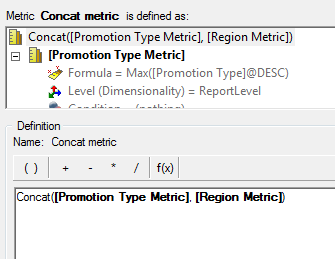
4. Create a third metric that is defined as a concatenation of the two previous metrics as seen below. The concat() function can be found in the string functions.
5. Add these metrics into the report objects window of the report. These metrics do not need to be in the template.
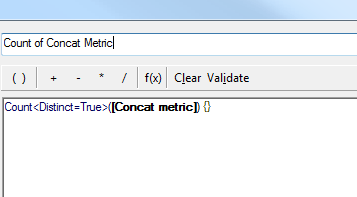
6. Create a derived metric on the report that is defined as Count distinct of the concat() metric in step 4.
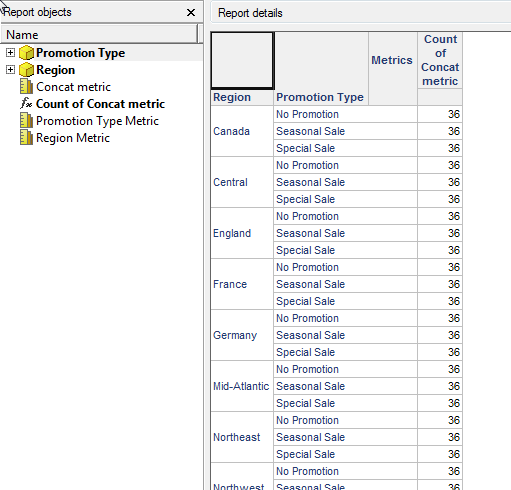
7.Add the metric in step 6 to the report. This metric will count the unique combinations of the two attributes as seen below: