SYMPTOM:
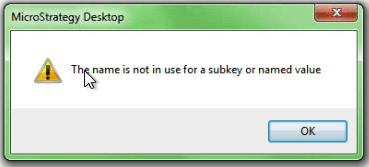
An error occurs when launching Developer from a shortcut in Windows 7 or Windows Server 2008 in Strategy 9.x.
CAUSE:
The shortcut is failing to launch Strategy Developer with the required elevated access.
ACTION:
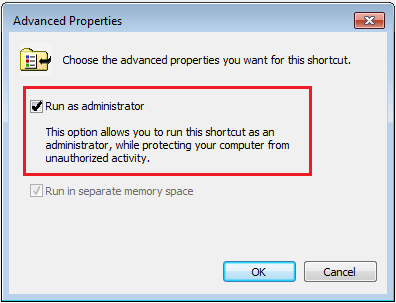
To resolve this issue the shortcut must be edited to run Strategy as Administrator. Follow the steps below to do so:
1) Right-click on the shortcut and select "Properties", this will display a window like the example below.

2) Click on the "Advanced..." button and check the option to Run as administrator.
WORKAROUND:
As a workaround users can right click on the shortcut and select "Run as administrator" when launching Developer.
