SYMPTOM:
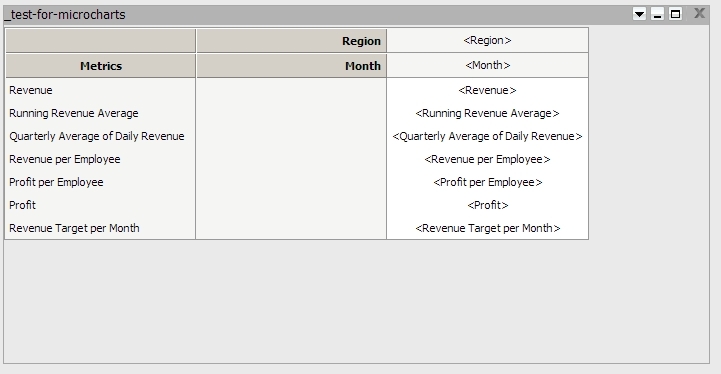
As users add attributes and metrics to a grid on a report services document in Design Mode in Strategy Web 9.x, the attributes and metrics that do not fit in the current view of the grid are clipped and cannot be viewed without resizing the grid, like shown below:

However, when the grid is expanded, more attributes and metrics become visible, like shown below:
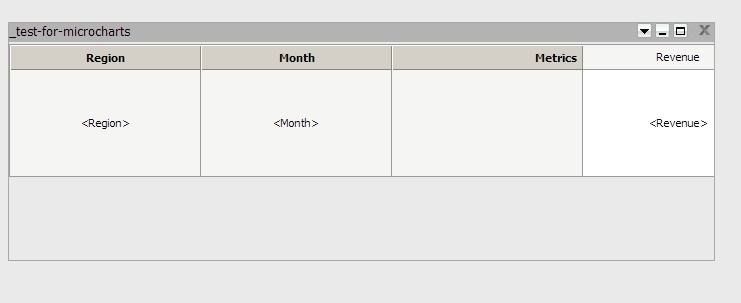
This makes it difficult for the user to keep track of which attributes and metrics have been added to a grid when adding many attributes and metrics.
CAUSE:
This is due to the fact that in design mode, the grid container does not have scroll bars. So, if the grid container isn't large enough to display all the objects, they are visually cut off. This is a known limitation with Strategy Web 9.x.
WORKAROUND:
An option without resizing the grid's container would be to temporarily 'Swap Rows and Columns' by right-clicking on the grid . This may make it possible to see offscreen attributes and metrics if the grid has enough vertical size, while designing, then change it back for the actual execution of the document, like shown below: