EducationSoftwareStrategy.com
StrategyCommunity

Knowledge Base

Product

Community

Knowledge Base

TopicsBrowse ArticlesDeveloper Zone

Product

Download SoftwareProduct DocumentationSecurity Hub

Education

Tutorial VideosSolution GalleryEducation courses

Community

GuidelinesGrandmastersEvents
x_social-icon_white.svglinkedin_social-icon_white.svg
Strategy logoCommunity

© Strategy Inc. All Rights Reserved.

LegalTerms of UsePrivacy Policy
  1. Home
  2. Topics

KB41730: Chinese characters will not display in graph view after changing the font to Arial Black in MicroStrategy Developer 9.x and newer


Stefan Zepeda

Salesforce Solutions Architect • Strategy


This technical note describes a known limitation in which Chinese characters cannot be displayed in a graph view after changing the font to Arial Black in MicroStrategy Developer 9.x and newer

SYMPTOM:
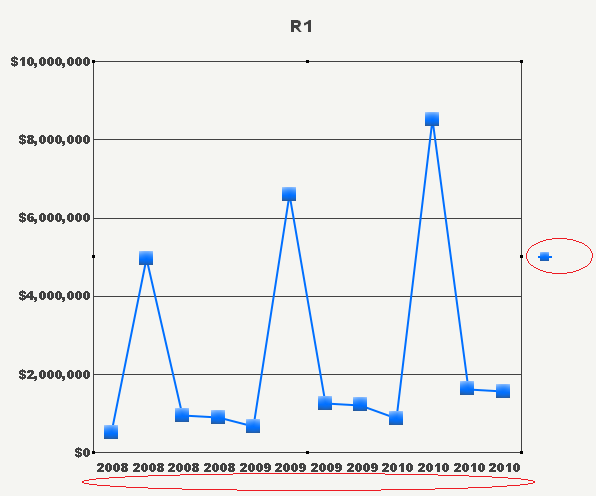
In report graph view, Chinese language will not display after changing its font to Arial Black in Strategy Desktop 9.2.1.
 

ka02R000000kXNaQAM_0EM440000002D3Q.png


STEPS TO REPRODUCE:
Tutorial project is used for the following steps. Both metadata and warehouse data have been configured to display in Chinese.
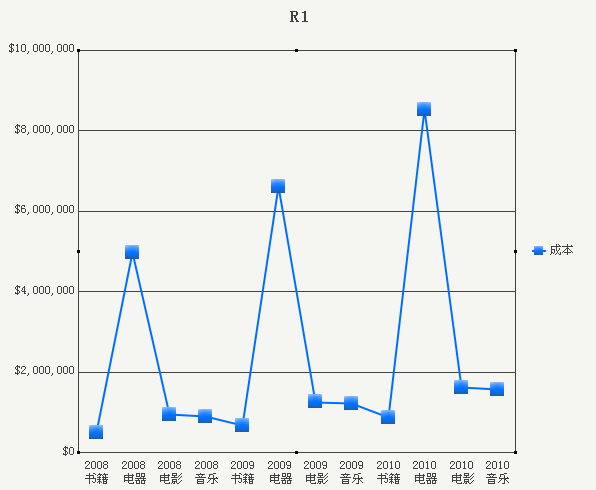
 

  • Create a report with attribute Year, Category and metric Cost. In Graph View, the default display of the report is as shown below.
ka02R000000kXNaQAM_0EM440000002D3T.png
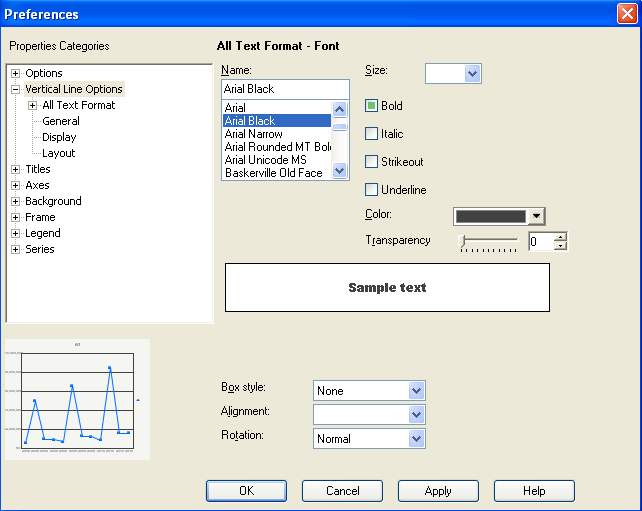
  • Go to Graph Options -> Vertical Line Options, set the font of text as Arial Black.
     
ka02R000000kXNaQAM_0EM440000002D3S.png
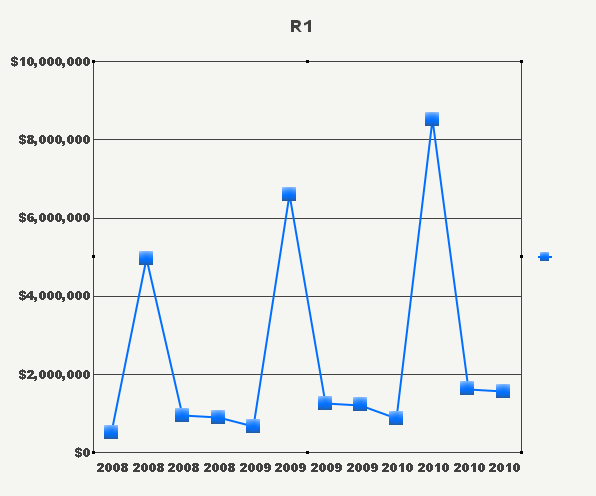
  • The report will then show as below. All content in Chinese does not get displayed. Only font of numbers changes to Arial Black.
     
ka02R000000kXNaQAM_0EM440000002D3V.png

 
CAUSE:
This is a known a known limitation of Strategy Developer and an enhancement request has been submitted to address the issue.
 
ACTION:
Strategy will continue to investigate and post updates as soon as they are available.


Comment

0 comments

Details

Knowledge Article

Published:

June 15, 2017

Last Updated:

June 15, 2017