Prior to Strategy 9.2.1 Hotfix 10, it was not possible to use the Links editor within a Report Service Document to pass multiple prompts parameters when these were nested (also known as prompt-in-prompts) in Strategy Web.
Later versions, including Strategy 9.3 can take advantage of this feature following this steps:
1. Create a Source data set with prompt in prompt. For instance an element list prompt which has a value prompt within
2. Create a Target data set with the same prompt from step 1
3. Create a Report Services Document from data set 1 (source)
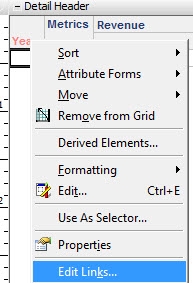
4. Place the source data set as a grid and edit links
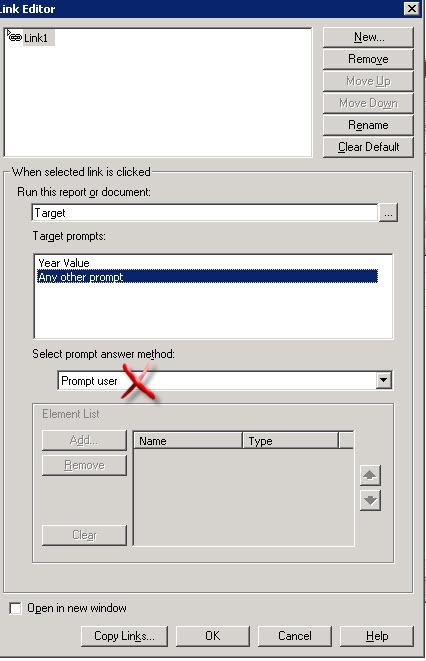
5. Make sure all the Target prompts are set to ‘Answer with the same prompt from the source’ as answer method. Pay attention on this step since by default the answer method is ‘Prompt user’ for the external prompts (or the ones listed after the first one)
6. Save and execute the document form Strategy Web.
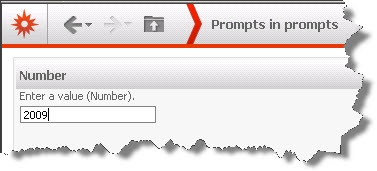
7. Answer the internal prompt (e.g. value prompt)
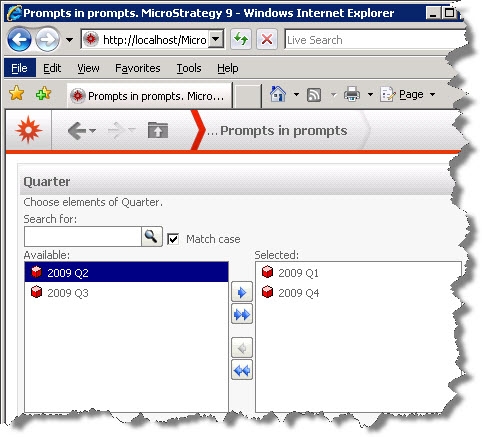
8. Answer the external prompt (e.g. element list prompt)
9. From the document’s grid click on the link to open target report
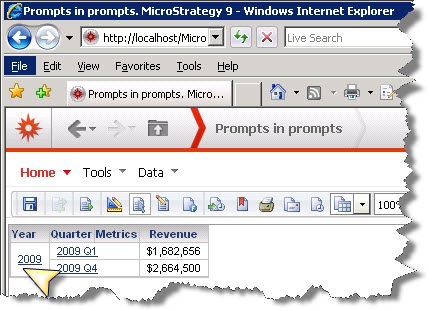
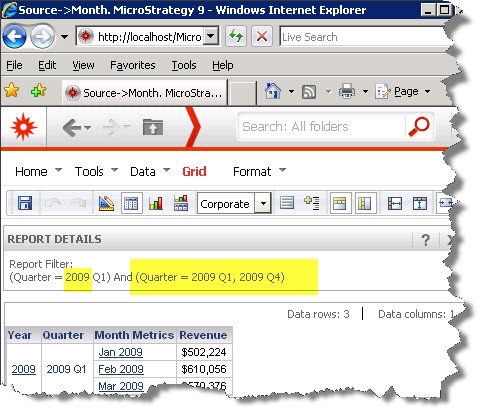
10. Notice that target report won’t prompt again the user neither for the internal (value) nor external (element list) prompts maintaining former user responses
41798
