EducationSoftwareStrategy.com
StrategyCommunity

Knowledge Base

Product

Community

Knowledge Base

TopicsBrowse ArticlesDeveloper Zone

Product

Download SoftwareProduct DocumentationSecurity Hub

Education

Tutorial VideosSolution GalleryEducation courses

Community

GuidelinesGrandmastersEvents
x_social-icon_white.svglinkedin_social-icon_white.svg
Strategy logoCommunity

© Strategy Inc. All Rights Reserved.

LegalTerms of UsePrivacy Policy
  1. Home
  2. Topics

KB418073: Metadata connection cannot be established due to error `option:ACCESS_TRANSACTION_HACK - invalid attribute/option identifier` with Microstrategy Intelligence Server


Community Admin

• Strategy


This article describes an issue where Metadata connection cannot be established due to error `option: ACCESS_TRANSACTION_HACK - invalid attribute/option identifier` with Microstrategy Intelligence Server. A solution is provided in the action section

SYMPTOM:
After restoring a metadata from an Access file to MS SQL Server and trying to configure the Strategy Intelligence Server, the following error occurs when trying to configure a server definition via the Strategy Configuration Wizard:
 
option:ACCESS_TRANSACTION_HACK - invalid attribute/option identifier
STEPS TO REPRODUCE:
Follow the steps below to reproduce this issue:
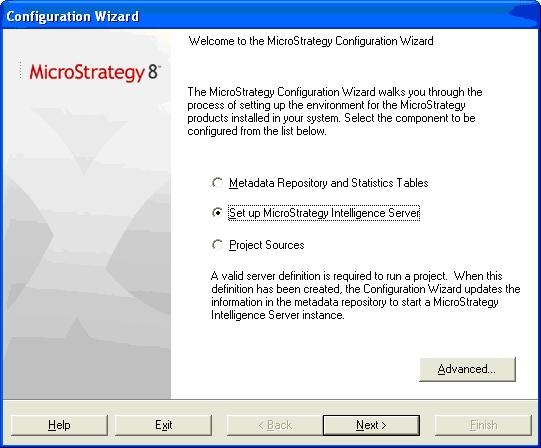
  • Launch the Configuration Wizard and select 'Set up Strategy Intelligence Server' as shown below:
ka04W000000OfYuQAK_0EM440000002Ev3.jpeg
  • Select the metadata that was restored in step 1.
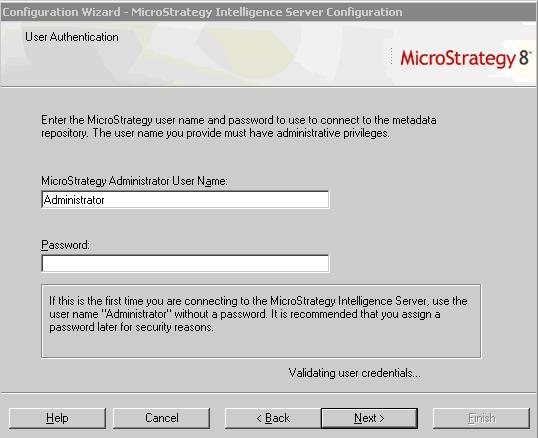
  • On validating user credentials, the following error occurs:
ka04W000000OfYuQAK_0EM440000002Eux.jpeg
  • User authentication failed: Database error <>: Begin DML Transaction failed. Error type: Odbc error. Odbc operation attempted: SQLSetConnectionOption. Option: ACCESS_TRANSACTION_HACK. Invalid attribute/option identifier

CAUSE:
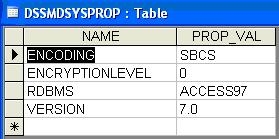
This is because the original metadata was created using a different database type. Database type is stored in the 'DSSMDSYSPROP' table in the metadata, as shown below:
ka04W000000OfYuQAK_0EM440000002Ev4.jpeg

This value is not changed when the tables are restored on the MS SQL Server. In general, project duplication is the only supported way to move metadata from one database type to another.
 
ACTION:
Follow the steps below to resolve this issue:
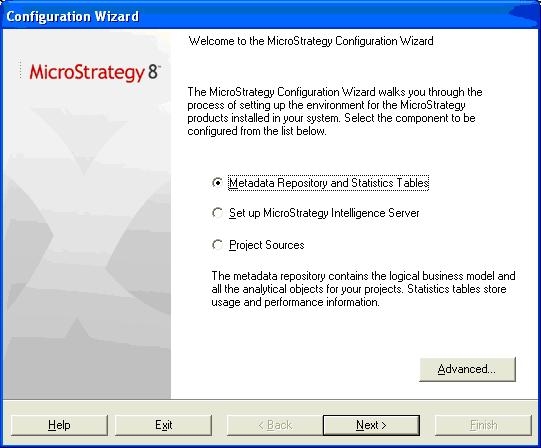
  • Create a fresh metadata on the MS SQL Server using the Strategy Configuration Wizard, as shown below:
ka04W000000OfYuQAK_0EM440000002Euw.jpeg
  • Create a project source, A, to point to this newly created metadata.
  • Create another project source, B, to point to the Access File where the original metadata is stored.
  • Perform project duplication by setting A as the destination Project Source and B as the Source. For more information about project duplication, refer to the following Strategy Knowledge Base technical note: KB12330 (KB4100-8X-0391): How to duplicate a project in Strategy Developer

KB418073


Comment

0 comments

Details

Knowledge Article

Published:

May 15, 2017

Last Updated:

December 31, 2018