INTRODUCTION:
Before creating a database instance for a project warehouse, users need to create a Data Source Name (DSN) that points to the database (which holds the project warehouse). It is strongly recommended to create DSN for Strategy ODBC drivers (such as Strategy ODBC Driver for Oracle Wire Protocol) using the Strategy Connectivity Wizard. This tool can be accessed from Start -> Programs -> Strategy -> Tools -> Connectivity Wizard.
Note: To any unpredictable behavior, it is highly recommended that users not use the Microsoft ODBC Data Source Administrator for creating DSNs for the Strategy drivers.
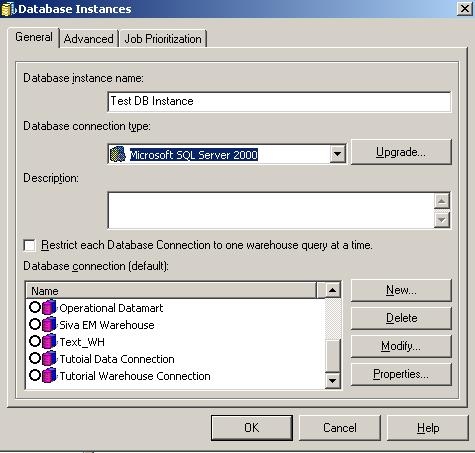
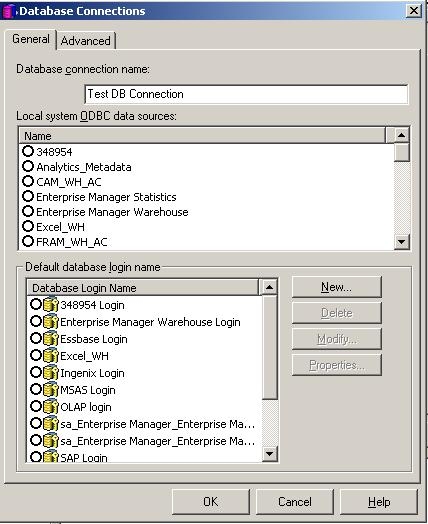
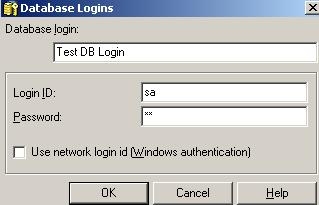
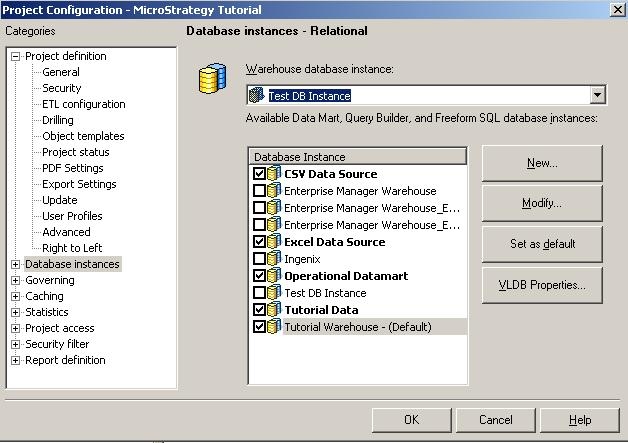
Now the Database Instance to the project warehouse has been created, the user must select this database instance as the project's warehouse. To do this, go to Project Configuration ->Database Instance -> SQL Data warehouses. Under 'Warehouse Database Instance', select the Database Instance created in the above steps (see below):