Using the "Filter on selections" functionality from Strategy Web, users can add a condition to the report or view filter according to their current selection on the report template.
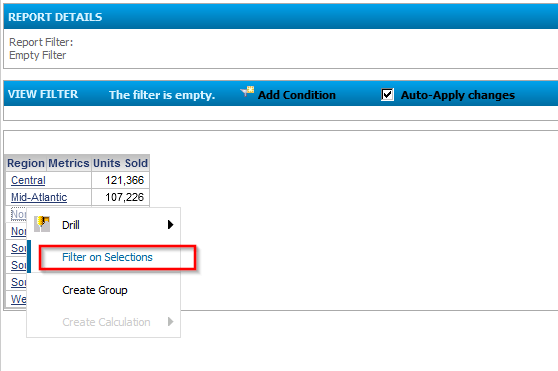
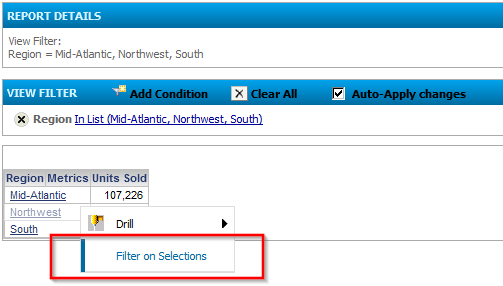
Hereby it depends on the report object as well as on the user's privileges if Filter on selection adds the condition to the View Filter or the Report Filter of the report. "Filter on selections" only adds conditions to the view filter if the report is OLAP enabled. A newly created standard report would most likely not be OLAP enabled. Only if any one of the following actions is performed, a report is transformed into an OLAP reports and thus allows adding the condition to the view filter:
1) Removing an attribute or metric from the grid but not removing it from the Report Objects List, or
2) Adding a condition to the view filter, or
3) Creating a derived Metric.
If you do not do one of these three actions before performing the filter on selections, the report will not be OLAP. In that case, filter on selections will add the filter to the report filter which involves sending a new SQL query to the database. Only if OLAP is already enabled the filter will be added to the view filter.
In addition to above requirements concerning the report object, the condition is only added as View Filter if the user performing the action has the following privileges:
- Web Analyst
- Use OLAP services
- Drill within Intelligent Cube
