EducationSoftwareStrategy.com
StrategyCommunity

Knowledge Base

Product

Community

Knowledge Base

TopicsBrowse ArticlesDeveloper Zone

Product

Download SoftwareProduct DocumentationSecurity Hub

Education

Tutorial VideosSolution GalleryEducation courses

Community

GuidelinesGrandmastersEvents
x_social-icon_white.svglinkedin_social-icon_white.svg
Strategy logoCommunity

© Strategy Inc. All Rights Reserved.

LegalTerms of UsePrivacy Policy
  1. Home
  2. Topics

KB42017: How to use Smart metrics in Excel PivotTable for reports in MicroStrategy 9.4.x-10.x


Stefan Zepeda

Salesforce Solutions Architect • Strategy


This article is intended to help users who may have the requirement to use calculated fields for their metrics, since calculated fields would be computed by Excel for each item in the PivotTable, rather than simply summed

Some users may have the requirement of using calculated fields for their metrics, since calculated fields would be computed by Excel for each item in the PivotTable, rather than simply summed.
 
NOTE:
PivotTables are a Microsoft component. Subtotals are calculated by Excel and this is a known limitation of PivotTables. This issue is not specific to Strategy.
 
Example:
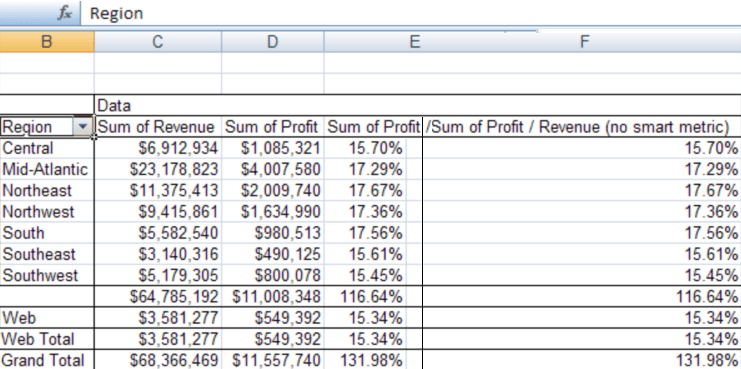
Consider the example below where the totals are calculated by summing each individual field:
 

ka02R000000kX27QAE_0EM440000002D1M.png


Below are instructions on how to insert a Calculated Field:
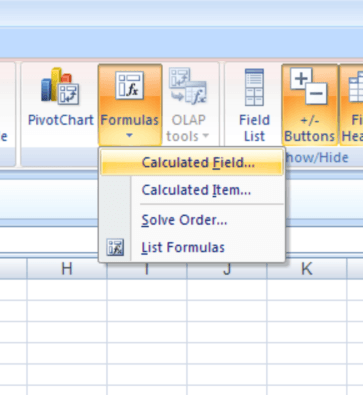
  • Select 'Calculated Field' from the Formula menu
     
ka02R000000kX27QAE_0EM440000002D1K.png
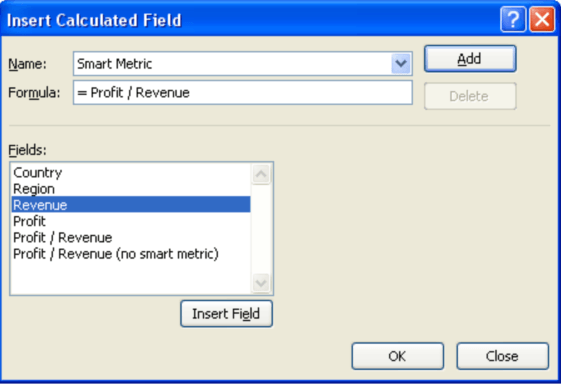
  • Enter the formula for the Calculated Field and select OK:
ka02R000000kX27QAE_0EM440000002D1T.png
ka02R000000kX27QAE_0EM440000002J3y.png
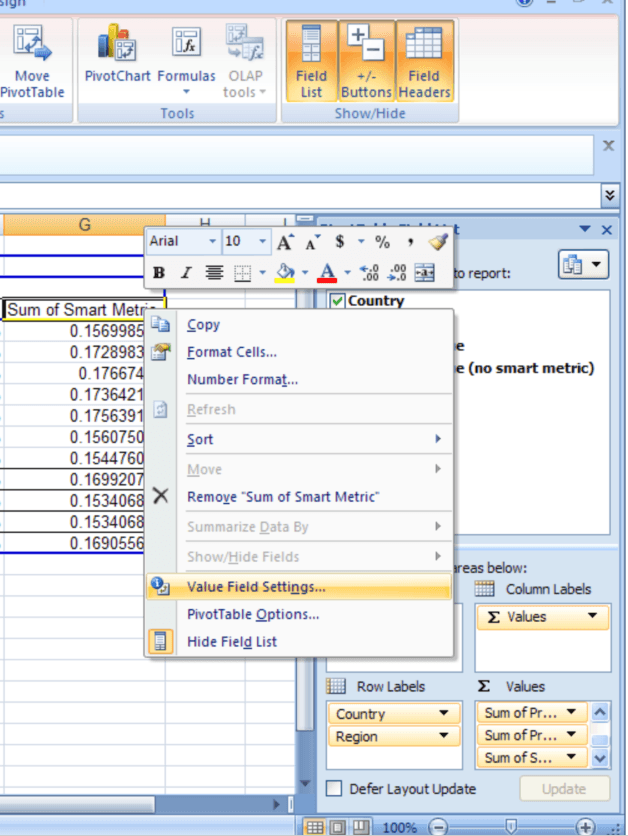
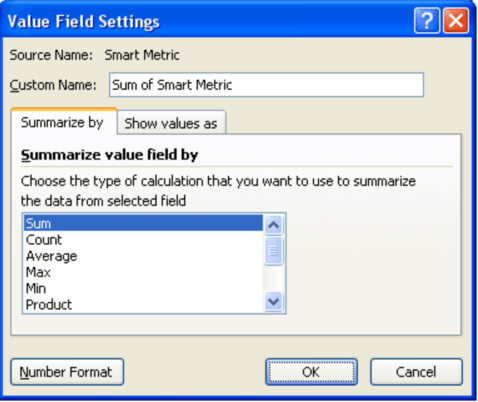
  • To format the Calculated Field, right mouse click on the field and select Value Field Settings:
ka02R000000kX27QAE_0EM440000002D1S.png
  • Then select Number Format:
ka02R000000kX27QAE_0EM440000002D1J.png
  • And define the format for the field:
ka02R000000kX27QAE_0EM440000002D1L.png
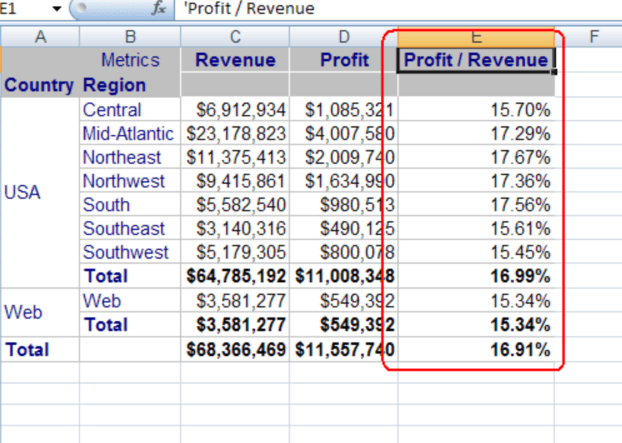
  • You can see that the PivotTable now formats the Calculated Field correctly for each total, matching the Strategy “Profit / Revenue” metric:
ka02R000000kX27QAE_0EM440000002D1e.png
ka02R000000kX27QAE_0EM440000002D1c.png


Comment

0 comments

Details

Knowledge Article

Published:

April 11, 2017

Last Updated:

April 11, 2017