EducationSoftwareStrategy.com
StrategyCommunity

Knowledge Base

Product

Community

Knowledge Base

TopicsBrowse ArticlesDeveloper Zone

Product

Download SoftwareProduct DocumentationSecurity Hub

Education

Tutorial VideosSolution GalleryEducation courses

Community

GuidelinesGrandmastersEvents
x_social-icon_white.svglinkedin_social-icon_white.svg
Strategy logoCommunity

© Strategy Inc. All Rights Reserved.

LegalTerms of UsePrivacy Policy
  1. Home
  2. Topics

KB42073: Error message of "Automation error. The System cannot find the file specified" displays when try to launch MicroStrategy Desktop.


Community Admin

• Strategy


This Article explains how to deal with the error message of "Automation error. The System cannot find the file specified".

SYMPTOM:

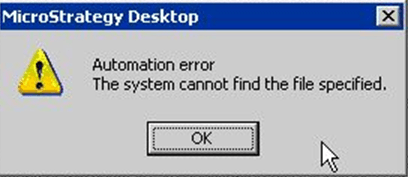
The installation is completed without error. However, error message of "Automation error. The System cannot find the file specified" displays when try to launch Strategy Desktop 9.3.0.
 

ka04W00000148TqQAI_0EM440000002HN5.png

 
Sample Code/Error
Automation error. The System cannot find the file specified
 

CAUSE:

One possible cause is that the wrong version of Microsoft .Net Framework is installed.
 

ACTION:

Download and install the correct version of Microsoft .Net Framework referring to below Technical Note. After that, reinstall Strategy product.
 
KB39929: "MISSING: Microsoft .Net Framework v4.0" message appears when installing MicroStrategy 9.3.0 on a Windows operating system
 
Third Party Software Installation WARNING:
The third-party product(s) discussed in this technical note is manufactured by vendors independent of Strategy. Strategy makes no warranty, express, implied or otherwise, regarding this product, including its performance or reliability.


Comment

0 comments

Details

Knowledge Article

Published:

June 7, 2017

Last Updated:

June 7, 2017