SYMPTOM:
"The Microsoft Jet database engine could not find the object ‘XXX’. " error message appears when running Freeform SQL report in Strategy Desktop 9.2.1 against Microsoft Excel data source, as shown below:
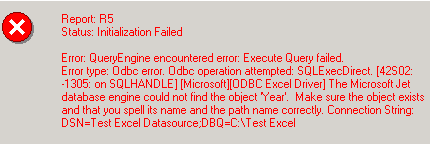
Report XXX
Status: Initialization Failed
Error: QueryEngine encountered error: Execute Query failed.
Error type: Odbc error. Odbc operation attempted: SQLExecDirect. The Microsoft Jet database engine could not find the object ‘XXX’. Make sure the object exists and that you spell its name and the path name correctly. Connection String: DSN=XXX; DBQ=YYY.
The following steps demonstrate how to reproduce this issue in tutorial project:
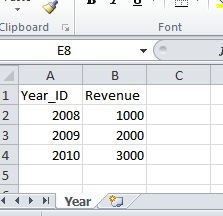
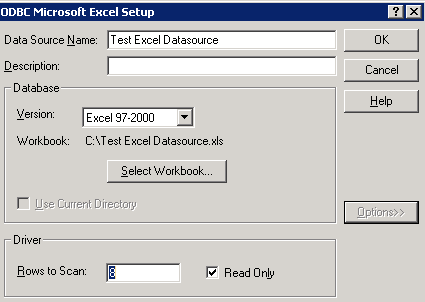

Select Year_ID from Year;

CAUSE:
The cause for this issue is that no table named "Year" is created in the excel file and the Microsoft Jet database engine cannot find table object named "Year".
ACTION:
Create a table named "Year" by selecting all the columns and rows for the table including the column headers, and entering the name "Year" in the 'Name Box' and pressing enter, as shown below:

The freeform SQL report can be executed successfully as shown below:

NOTE: For more information about how to create Freeform SQL report against Microsoft Excel data source, please refer to tech note below:
KB13748 (KB5700-80X-1919): How to create a database in Microsoft Excel to use with a Freeform SQL report in MicroStrategy Desktop 8.x and 9.0.x
