EducationSoftwareStrategy.com
StrategyCommunity

Knowledge Base

Product

Community

Knowledge Base

TopicsBrowse ArticlesDeveloper Zone

Product

Download SoftwareProduct DocumentationSecurity Hub

Education

Tutorial VideosSolution GalleryEducation courses

Community

GuidelinesGrandmastersEvents
x_social-icon_white.svglinkedin_social-icon_white.svg
Strategy logoCommunity

© Strategy Inc. All Rights Reserved.

LegalTerms of UsePrivacy Policy
  1. Home
  2. Topics

KB42098: Metric columns are moved to row when attempting to move one of metrics to left columns in MicroStrategy Web 9.x


Community Admin

• Strategy


Metric columns are moved to row when attempting to move one of metrics to left columns in MicroStrategy Web 9.x

SYMPTOM:
 
In Strategy Web 9.x, metric columns are moved to row when attempting to move one of metrics to left columns in Strategy Web.
 
  
STEPS TO REPRODUCE:
 
Follow the steps below to reproduce the issue with Strategy Tutorial project:


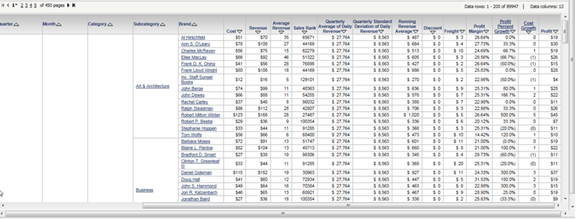
  • In Strategy Web, create a report with 9 attributes in the row and 13 metrics in the column, adjust the width of attribute column to have the half of window, as the image shown below:
     
ka04W000000OcydQAC_0EM4400000026u8.png
  • Lock the column header.
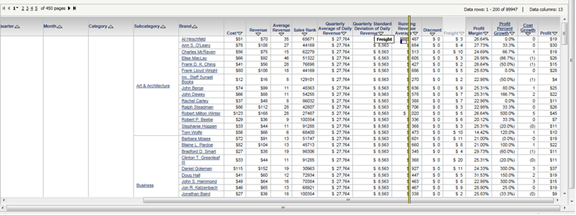
  • Scroll the grid to the right, as the image shown below:
     
ka04W000000OcydQAC_0EM4400000026u9.png
  • Attempt to move one of the metrics ‘Freight’ to left metric column, as the image shown below:
     
ka04W000000OcydQAC_0EM4400000026uJ.png
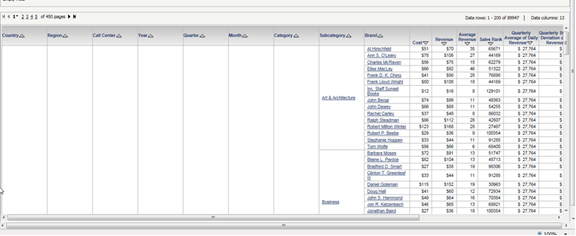
  • Note that metric columns are moved to row, as the image shown below:
     
ka04W000000OcydQAC_0EM4400000026uK.png

 
CAUSE:
 
This is a known issue with Strategy Web 9.x.
 
 
ACTION:
 
Contact Strategy Technical Support for an update on the status of this issue.


Comment

0 comments

Details

Knowledge Article

Published:

June 23, 2017

Last Updated:

June 23, 2017