SYMPTOM
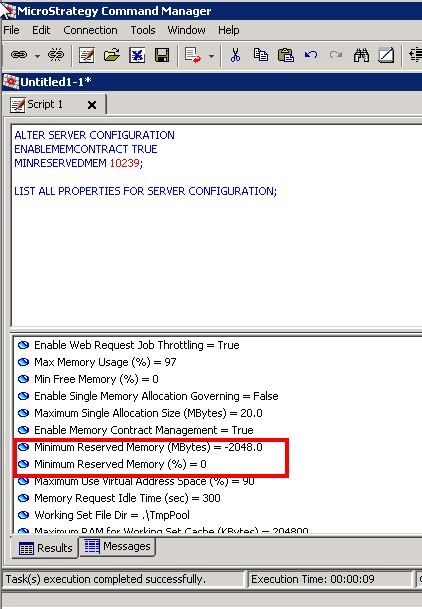
When trying to configure the Intelligence Server settings through Command Manager, after successfully executing the command
ALTER SERVER CONFIGURATION
ENABLEMEMCONTRACT TRUE
MINRESERVEDMEM 10239;
the Intelligence Server Configuration setting Minimum reserved memory is unchanged. This persists even after restarting the Intelligence Server.
CAUSE
This is a known issue in Strategy 10.x, 2019 and 2020.
This issue occurs when the setting MINRESERVEDMEM is set to 2048 and above. The setting works properly when the setting is set to 2047 and below.
ACTION
The issue has been fixed in MSTR Command Manager 2021.
WORKAROUND
This setting can be changed directly in Desktop by manually changing the Intelligence Server Configuration setting Minimum reserved memory under Governing Rules - Default - Memory Settings
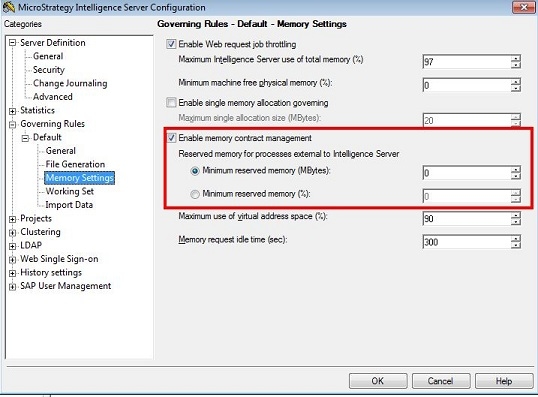
You can also use the twin setting MINRESERVEDMEMPERCENTAGE, which works correctly in Command Manager.
