The user receives the error message below when attempting to upgrade a Microsoft Access Metadata using Configuration Wizard:
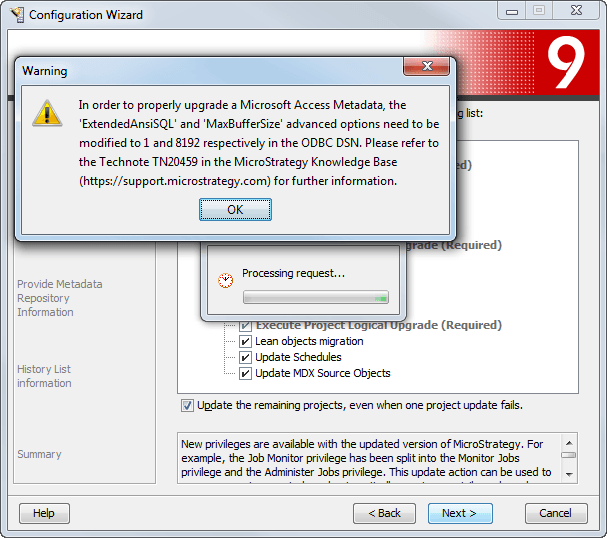
Sample Code/Error:
In order to properly upgrade a Microsoft Access Metadata, the 'ExtendedAnsiSQL' and 'MaxBufferSize' advanced options need to be modified to 1 and 8192 respectively in the ODBC DSN. Please refer to the Technote KB20459 in the Strategy Community (https://community.strategy.com/) for further information.
After following the instructions in KB20459 to make the changes to the advanced options in the ODBC DSN, The user still receives the above error message.
1. Configure the Intelligence Server to point to a Microsoft Access metadata that needs to be upgraded.
2. Select "Upgrade existing environment to Strategy X(desired version)" and select "Intelligence Server Components" in Configuration Wizard
3. Select the username and password used to connect to the Intelligence Server and click Next
4. Select the components you would like to upgrade and click Next.
5. The user receives the above warning message in Configuration Wizard.
6. Follow the instructions in KB20459 to make the changes to the advanced options in the ODBC DSN.
7. When the user tries again to upgrade the Access Metadata, the user still gets the warning message from Configuration Wizard.
The error message is simply a warning message, it does not prevent the user from upgrading the metadata.
After making the changes to the advanced options in the ODBC DSN in KB20459, the user is able to click OK in the warning message and upgrade the metadata successfully using Configuration Wizard.
