In Strategy Web or Developer 10.4 Hotfix 2, the following error occurs when running a report based on SAP BW that contains an attribute element prompt:
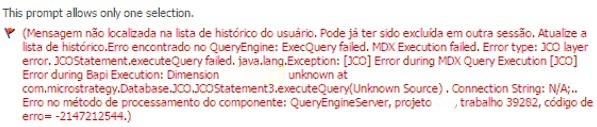
(Message not found in user history list. It may have been deleted fromother session already. Please refresh your history list.
QueryEngine encountered error: ExecQuery failed.
MDX Execution failed. Error type: JCO layer error. JCOStatement.executeQuery failed.java.lang.Exception: [JCO] Error during MDX Query Execution [JCO] Error during Bapi Execution: Dimension xxxxx unknown at com.Strategy.Database.JCO.JCOStatement3.executeQuery (Unknown Source).
Connection String: N/A:..Error in Process method of Component: QueryEngineServer, Project xxxxx, Job xxxxx, Error Code=-2147212544.
Report: xxxxx
Job: xxxxx
Status: Execution failed
Error: Unable to resolve prompt
Starting Time: xx:xx:xx
QueryEngine encountered error: ExecQuery failed. MDX Execution failed.
Error type: JCO layer error. JCOStatement.executeQuery failed.java.lang.Exception: [JCO] Error during MDX Query Execution [JCO] Error during Bapi Execution: Dimension xxxxx unknown at com.Strategy.Database.JCO.JCOStatement3.executeQuery
(Unknown Source). Connection String: N/A:..Error in Process method of Component: QueryEngineServer, Project xxxxx, Job xxxxx, Error Code=-2147212544.
After enabling the Strategy Diagnostics and Performance tools > Database Classes SQL Trace option to collect the MDX statement submitted against SAP BW as described in the Knowledge Base article KB14038: Diagnostic logs to enable when troubleshooting issues with access to MDX data sources such as SAP BW, Microsoft Analysis Services or Hyperion Essbase in MicroStrategy 9.x-10.x , the following MDX statement was collected:
Error type: JCO layer error. JCOStatement.executeQuery failed. java.lang.Exception: [JCO] Error during MDX Query Execution [JCO] Error during Bapi Execution: Dimension XXXXX unknown at com.Strategy.Database.JCO.JCOStatement3.executeQuery(Unknown Source). Connection String: N/A;.
Connection String: N/A;. SQL Statement:
with set [Count_set] as '{[xxxxx].[LEVEL01].members}'
member [Measures].[Element_Browse_Count] as 'Count({[Count_set]}, INCLUDEEMPTY)'
select {[Measures].[Element_Browse_Count]} on columns
from [xxxxx/xxxxx]
