Consider the two scenarios below:
1. To combine two documents.
The user can do this by importing the layout of the second document into the first document.
Using Tutorial data:
To do this the user must copy their second document into the hidden Objects Templates->Dashboards folder
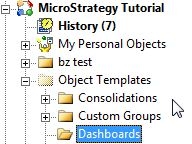
And then in the first document, import the second document into the first document. .
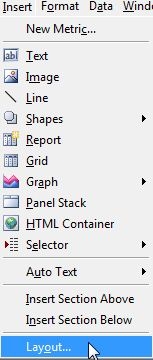
This will create another layout within the same document. Now both documents are on the same document.
2. To retain the original document ID while replacing the whole document with another document.
The user can do this by following the same steps as above in importing the layout.
or
The user can do this by importing the second document onto the first one.

This will remove whatever is on the first document and replace it with the second document. Certain documents cannot be imported using the "Import Document" option, such as transactional documents. Users will have to import the transactional document as a layout.
KB42427
