SYMPTOM:
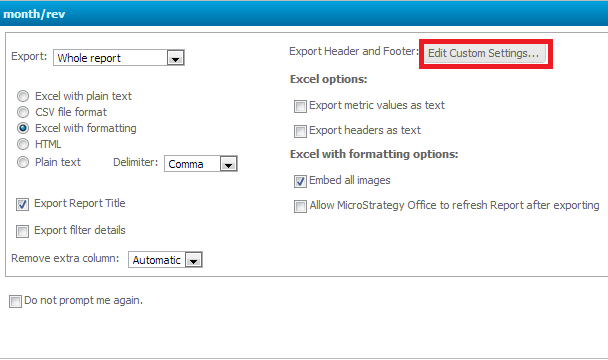
When exporting a report to an Excel spreadsheet with formatting, users are able to customize header and footer settings by clicking on the Edit Custom Settings button, as shown below:
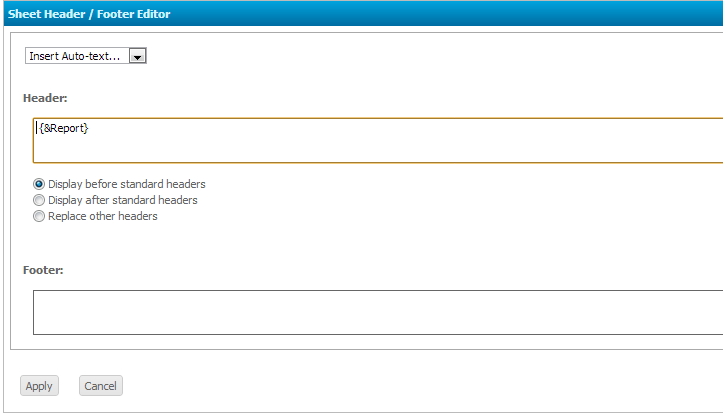
Here, users can add in the report name, as shown below:
The Excel spreadsheet that the report was exported to will have the name / title of the report at the left-most column, as shown below.
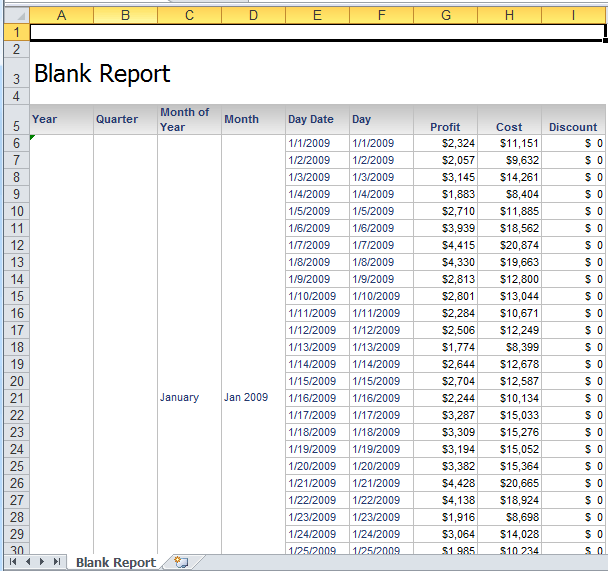
However, there are no formatting settings available to adjust the alignment of the title when exported.
CAUSE:
When exporting a report to an Excel file, the columns and the widths of the columns that make up the report are not taken into account. Therefore the report name / title is not able to be centered according to the dimensions of the report. This is a known limitation with Strategy Web 9.3.0 and above
ACTION:
Contact Strategy Technical Support for an update on this issue.
WORKAROUND:
Follow one of the following workarounds.
