SYMPTOM:
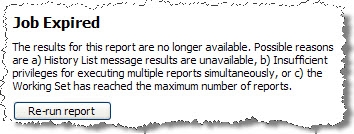
After remaining idle on the prompts page while executing any report, a user experiences the following message in Strategy Web:
Job Expired
The results for this report are no longer available. Possible reasons are a) History List message results are unavailable, b) Insufficient privileges for executing multiple reports simultaneously, or c) the Working Set has reached the maximum number of reports.
Likewise if the user is executing a Report Services Document and waits idle in the prompt page the following error shows up:
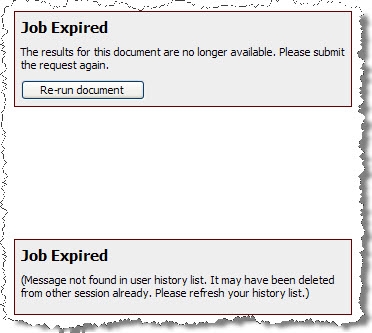
Steps To Reproduce:
Execute the following in Strategy Tutorial:
1) The following settings are enabled
a. Project Level>Governing>Result Sets>Report Execution Time = -1 (or a value larger than Web user session idle time)
b. I-Server Level>Governing>General>Web user session idle time (sec) = 120
c. Web Admin Level>Security>Login>Allow Automatic login if session is lost
d. Web Preferences>Project Default>History List>Add reports and documents to my History List>Manually
2) The user executes a prompted report and waits on the prompt page more than the established ‘Web user session idle time’. (i.e. more than 2 minutes)
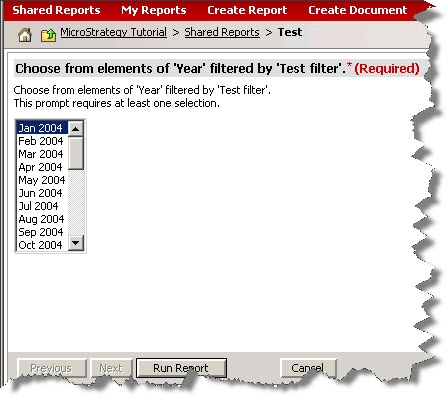
3) After 3 minutes the user clicks on ‘Run Report’ and the Job Expired error message appears in Web.
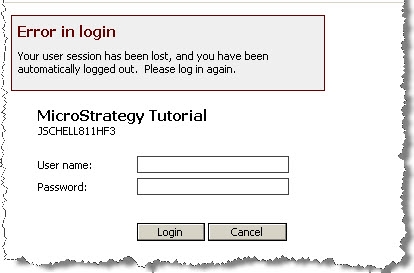
Note: If the ‘Web Admin Level>Security>Login>Allow Automatic login if session is lost’ setting is not checked then the user will experience an ‘Error in Login’ message and will need to input his credentials before seeing the ‘Job Expired’ error.
The Web log shows the following error:
<message>(Message not found in user history list. It may have been deleted from other session already. Please refresh your history list.) (com.Strategy.webapi.MSTRWebAPIException)</message>
<exception>com.Strategy.webapi.MSTRWebAPIException: (Message not found in user history list. It may have been deleted from other session already. Please refresh your history list.)
CAUSE:
The user session is being lost because of the ‘Web user session idle time’ has been exceeded. In addition, the job has been canceled and no history list message has been created/ found.
ACTION:
‘Web user session idle time’ can be increased to the maximum time that a user could be idle in the prompt page or to the same value as the ‘Report Execution Time’. However if this message wants to be avoided regardless what the ‘Web user session idle time’ is then ‘History List>Add reports and documents to my History List’ must be changed to ‘Automatically’
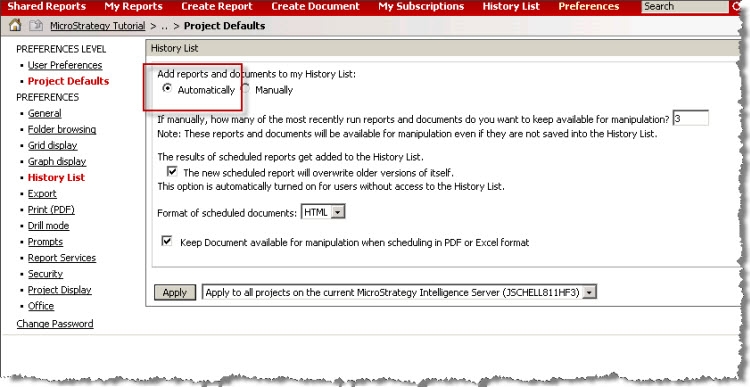
Sending the reports automatically to the History List will guarantee that the job is still ‘alive’ even if the ‘Web user session idle time’ has been exceeded.
