INTRODUCTION:
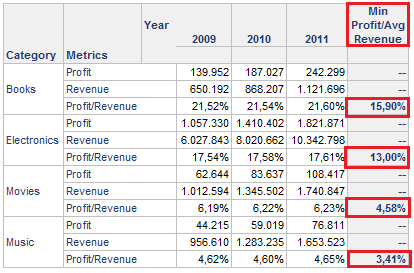
This document explains how to create a report with a subtotal that calculates the division between minimum value of the Profit metric and average of the Revenue metric. Furthermore, the subtotal header must have a custom label.
When the report is executed, the data is as shown below:
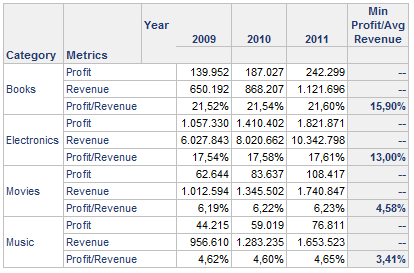
To get this result, perform the steps provided below:
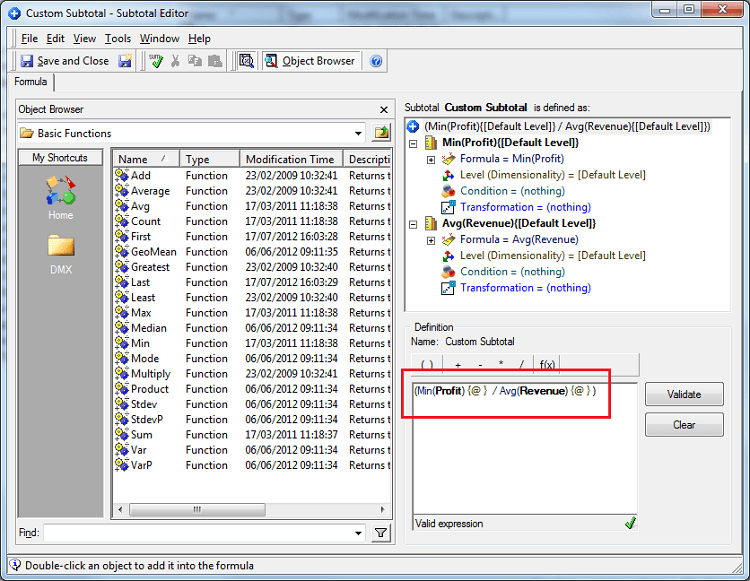
1. Create a subtotal custom with Profit and Revenue metrics. The definition must be to made this manner: Min(Profit)/Avg(Revenue)
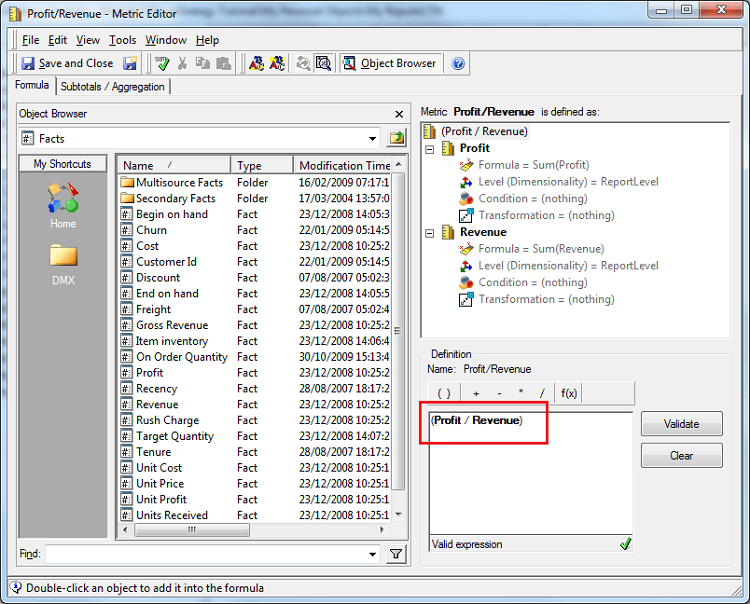
2. Create a compound metric with the definition: Profit/Revenue.
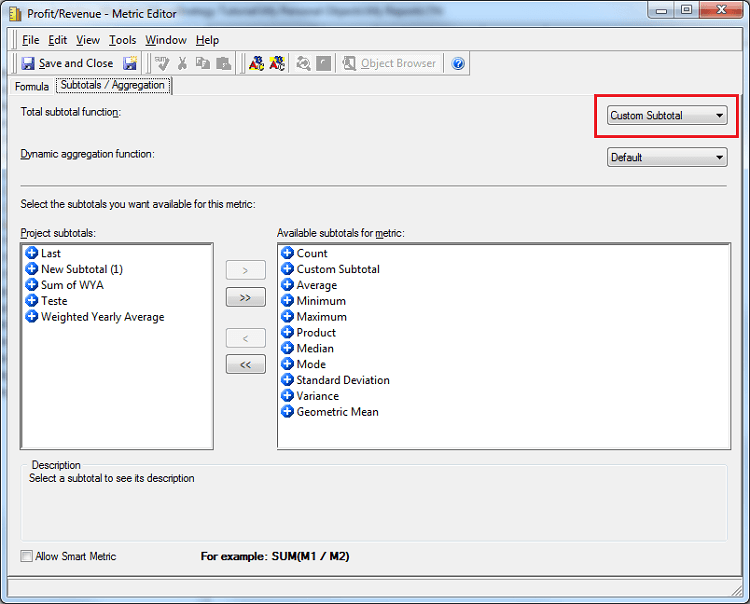
3. In the Subtotals/Aggregation tab, select the custom subtotal created in the Total subtotal function combo box.
4. Create the report with the Category attribute, and Profit, Revenue and Profit/Revenue metrics on the rows and the Year attribute in the columns.
5. In the Data menu, select the Subtotals… option.
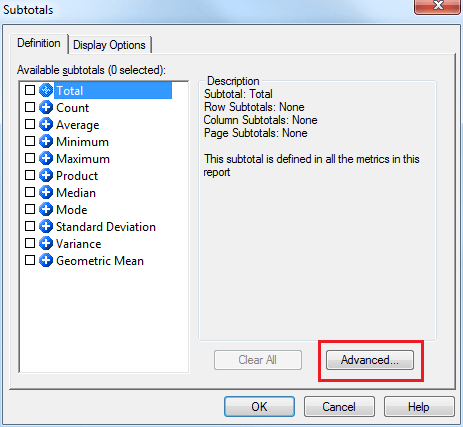
6. In the Subtotals Editor, click in the Advanced… option.
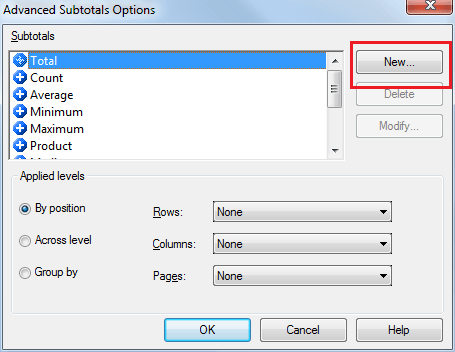
7. In the Advanced Subtotal Options, select the New… button.
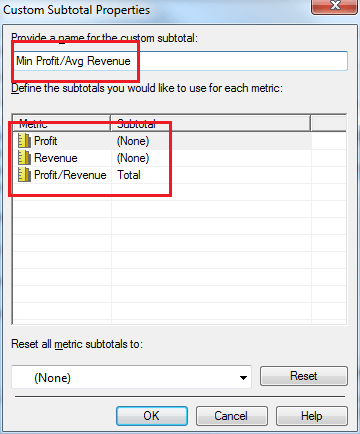
8. In the Custom Subtotal Properties, type the name for the custom subtotal.
9. Above Define the subtotal users would like to use for each metric area, define how each metric will be to calculate. Set the Subtotal as Total for Profit/Revenue metric.
10. Apply the subtotal by position of columns as All Subtotals.
11. After these steps, it is observed the custom subtotal in the report.