SYMPTOM:
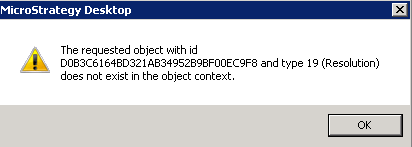
When trying to send a freeform SQL (FFSQL) report to history list from Strategy Developer 9.x and 10.x, the following error occurs:
Sample Code/Error
The requested object with id xxx and type 19 (Resolution) does not exist in the object context.
The error does not occur when either editing or running the report.
CAUSE:
The Resolution object corresponds to prompt answers associated with the report. The error above indicates there is a reference to a non-existent prompt answer in the report.
This condition has been reported in Strategy 9.3.0; however its root cause is unkonwn. In order to track down the cause of this inconsistency, customers encountering this issue should make note of Schema/Application-related changes, Object Migrations or error messages prior to experiencing the problem. Change Journaling, if enabled, can help in preserving this information.
ACTION:
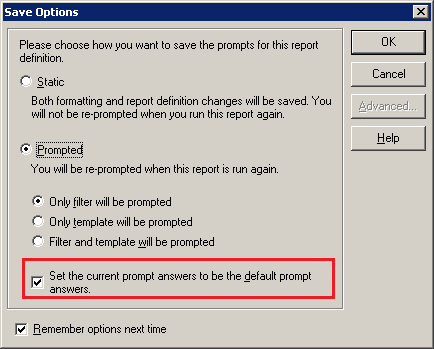
The default prompt answer for the report can be overwritten which should clear out the invalid reference. This can be done by running the report in Strategy Developer 9.x and 10.x, answering any prompts, and then saving the report as Prompted with the option 'Set the current prompt answer to be the default prompt answers' enabled, as shown: