EducationSoftwareStrategy.com
StrategyCommunity

Knowledge Base

Product

Community

Knowledge Base

TopicsBrowse ArticlesDeveloper Zone

Product

Download SoftwareProduct DocumentationSecurity Hub

Education

Tutorial VideosSolution GalleryEducation courses

Community

GuidelinesGrandmastersEvents
x_social-icon_white.svglinkedin_social-icon_white.svg
Strategy logoCommunity

© Strategy Inc. All Rights Reserved.

LegalTerms of UsePrivacy Policy
  1. Home
  2. Topics

KB42610: How to enable Total as selector option when using grid as selector in MicroStrategy Web 9.x and 10.x?


Community Admin

• Strategy


How to enable Total as selector option when using grid as selector in MicroStrategy Web 9.x and 10.x

SYMPTOM:
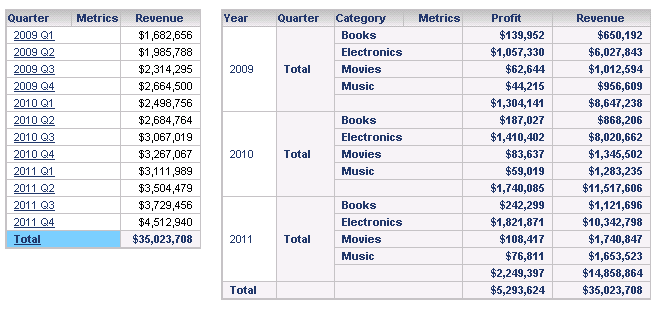
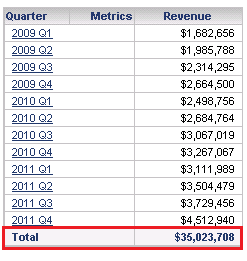
In Strategy Web 9.x, when grid is applied as a selector and "Show Total" is enabled, the “TOTAL” is not clickable, as shown below:
ka04W000000OgZsQAK_0EM4400000026oc.png

CAUSE:
To enable Total as selector option, Total must be enabled from selector configuration instead of grid itself.
 
ACTION:
Follow below steps to enable Total as selector option:

  • Right Click the selector attribute in grid, choose "Edit Selector";
  • Uncheck "Apply selection as a filter", and check "Show option for total" in "Configure Selector" window, as shown below:
ka04W000000OgZsQAK_0EM4400000026oo.png
  • Save the changes, note that Total can be selected as an element, as shown below:
ka04W000000OgZsQAK_0EM4400000026oe.png


Comment

0 comments

Details

Knowledge Article

Published:

June 14, 2017

Last Updated:

June 14, 2017