SYMPTOM:
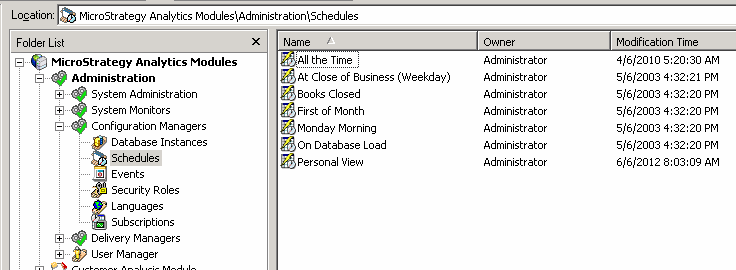
A user can see all schedules under Strategy Desktop > Administration > Configuration Manager > Schedules as shown below.
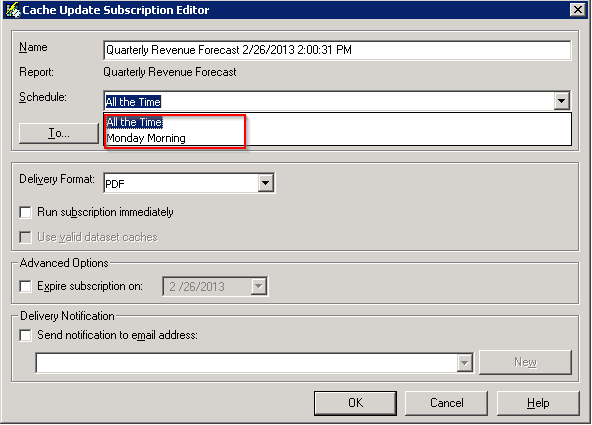
But when the user tries to create a subscription or edit an existing subscription in Web or Desktop, some schedules do not appear as shown below.
CAUSE:
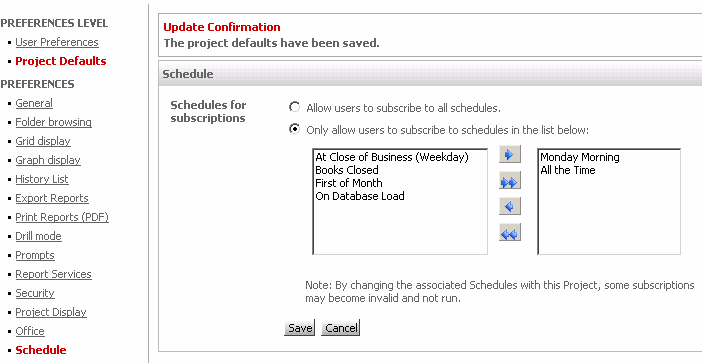
In Strategy 9.4.1 and 10.x, a new feature has been introduced which limits the schedules available to an end-user. Therefore, any associated subscriptions will not run.
ACTION:
To see which schedules are available for end-users to see, go to Strategy Web > Preferences > Preferences Level > Project Defaults > Schedule and move schedules from the left to the right to make them available for end-users.