SYMPTOM:
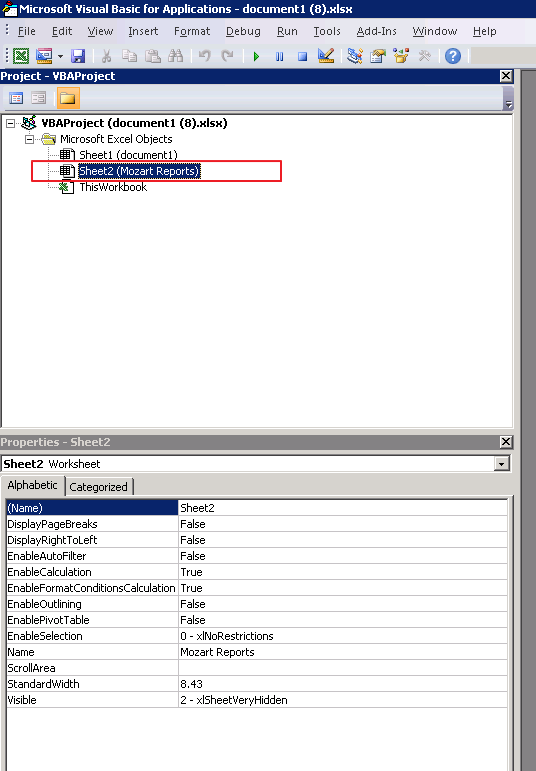
When a document is exported to Excel from Strategy Office, there is a hidden sheet named "Mozart Reports" in exported Excel file, as shown below.
CAUSE:
The Mozart Reports "very hidden" sheet stores important information about Strategy reports which can be used to refresh them later on. The ability to refresh reports in the workbook/presentation/document is one of the most important features of Strategy Office.
ACTION:
To disable the feature, follow the instructions below.
1. In Web, go to Web Preference -> Project Defaults -> Office
2. Uncheck the option "Allow Strategy Office to refresh Documents after exporting to Excel".
3. Save the preference and re-login to Strategy Web.
4. Export a document to Excel, and the "Mozart Reports" tab should not appear.
Note that once users disable the setting, the document exported to Excel is unable to refresh with Strategy Office.
