SYMPTOM:
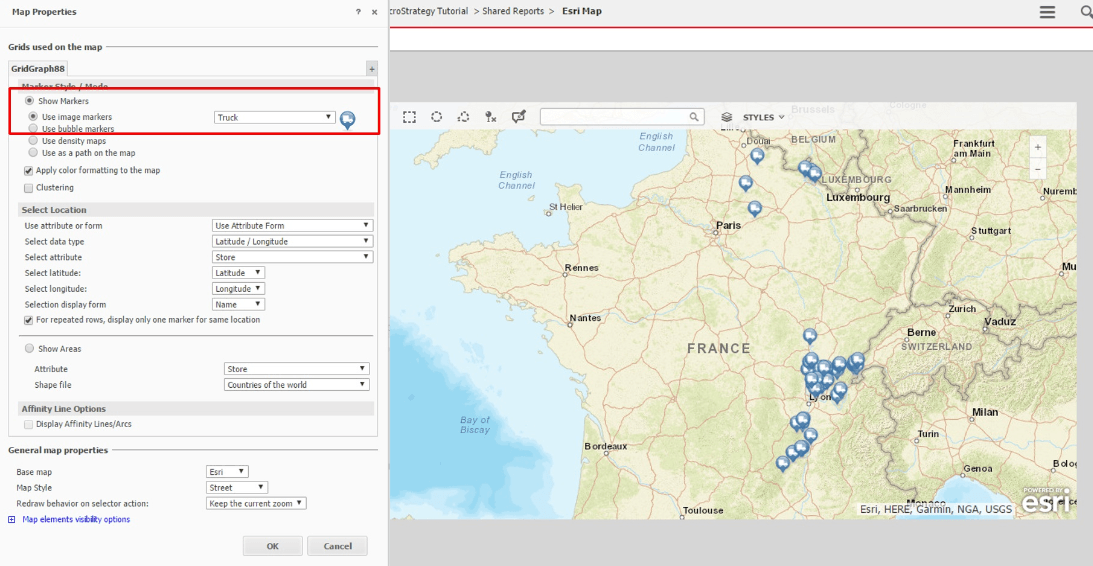
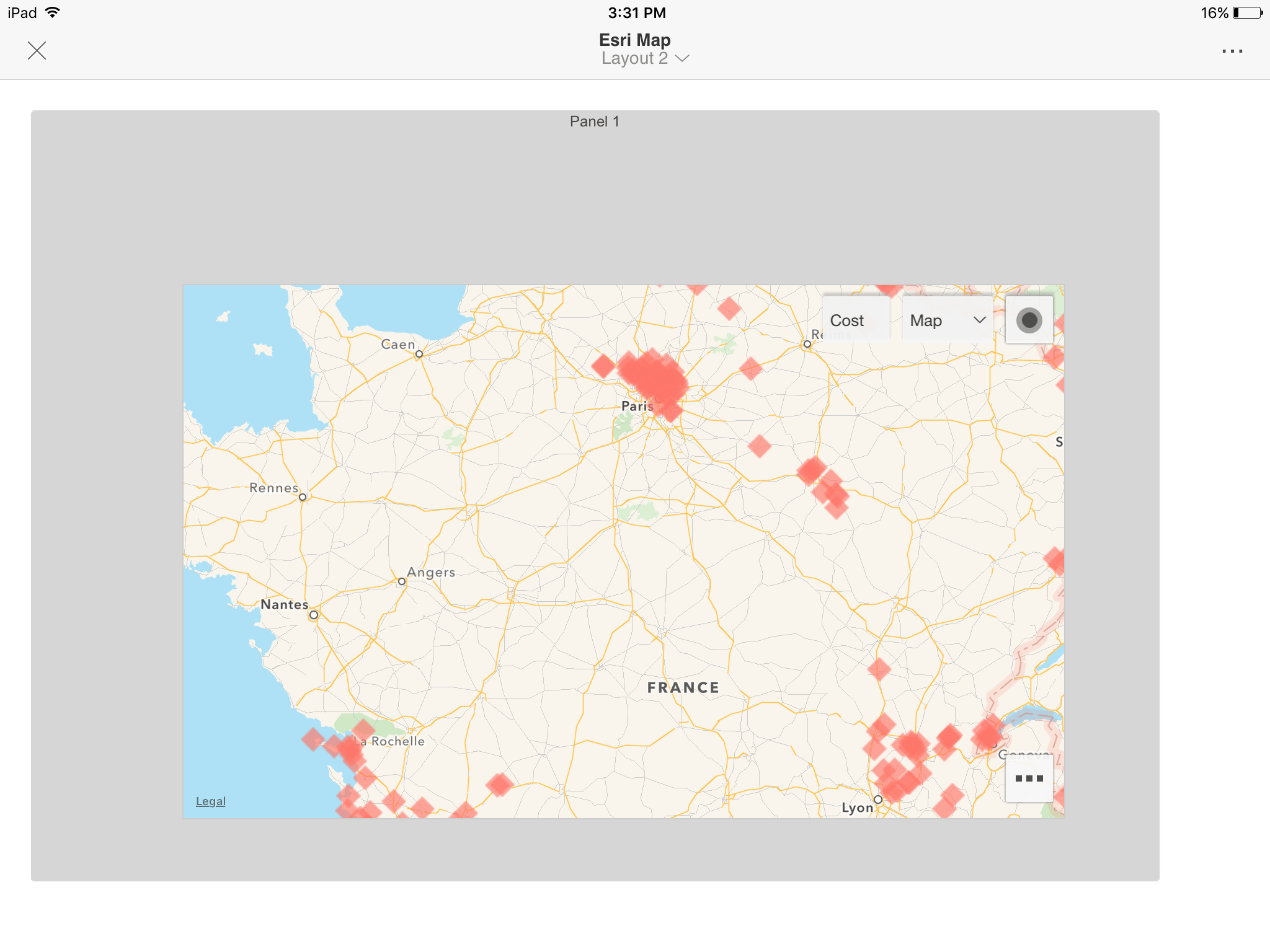
Users can choose desired image markers to be displayed in ESRI map. For example, users can set the image markers as trucks and it works well on Strategy Web. However, the markers go back to diamonds on Strategy Mobile 10.7 for iOS.
On Strategy Web:
On Strategy Mobile 10.7 for iOS:
STEPS TO REPRODUCE
1) Create a document in MSTR web 10.7 with ESRI map;
2) Change image marker to truck;
3) Run this document in web and we can see truck image markers;
4) Run this document on iOS client;
CAUSE:
This is a known issue in Strategy Mobile 10.7 for iOS
ACTION:
This issue has been addressed in Strategy Mobile 10.8 for iOS.
This issue also can be avoided with the following workaround if it is only used on Mobile:
1) Go to the map properties by right mouse click on the map grid in design mode->Properties and Formatting->Widget->Widget Properties
2) At the bottom of the Map Properties, change the Base map to Google
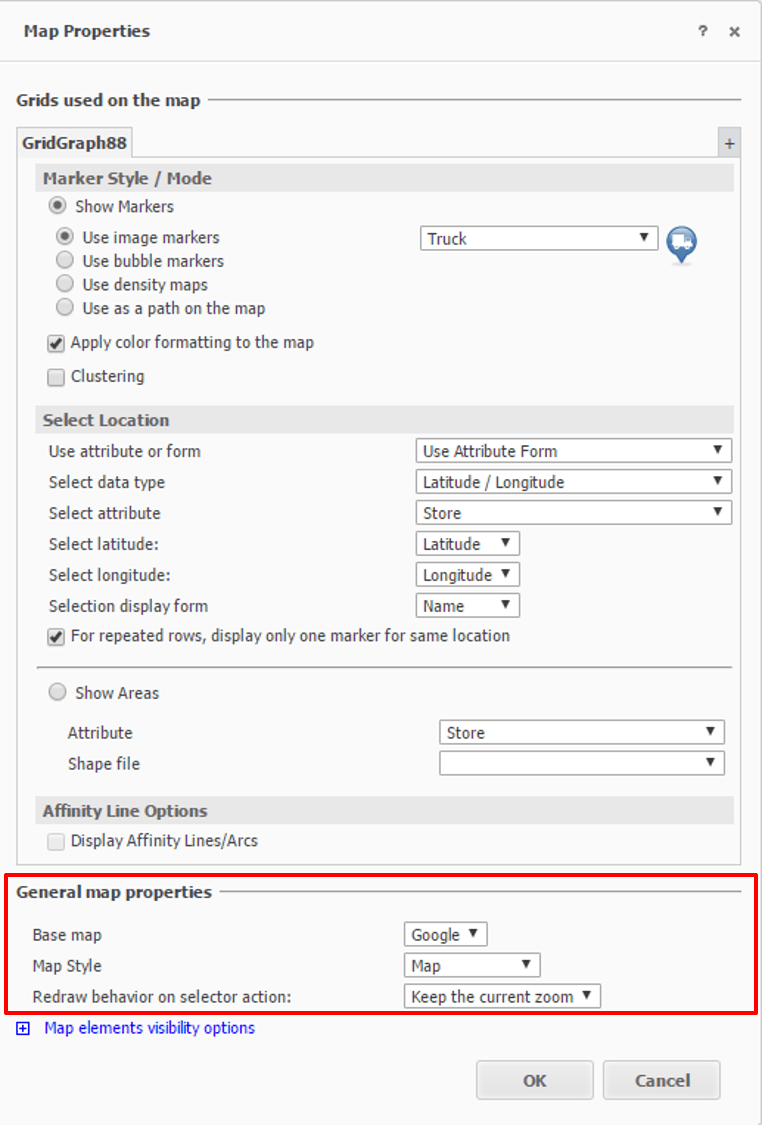
Google Map can render the image markers well.
Strategy Mobile app for iOS will take advantage of the native map on mobile devices so this workaround works on mobile. But it will use the Google Map on Strategy Web so this workaround will affect the web users to render the map in ESRI.
KB426328
