This article outlines how to set the input data validation in transaction service document.
CONTENT:
Users may need to set input data validation in transaction service document. For example, End Date should be later than the Start Date, otherwise the input is invalid. The input data validation can be achieved with threshold in Strategy web.
ACTION:
1) Right mouse click on the transaction grid, choose Thresholds->Advanced
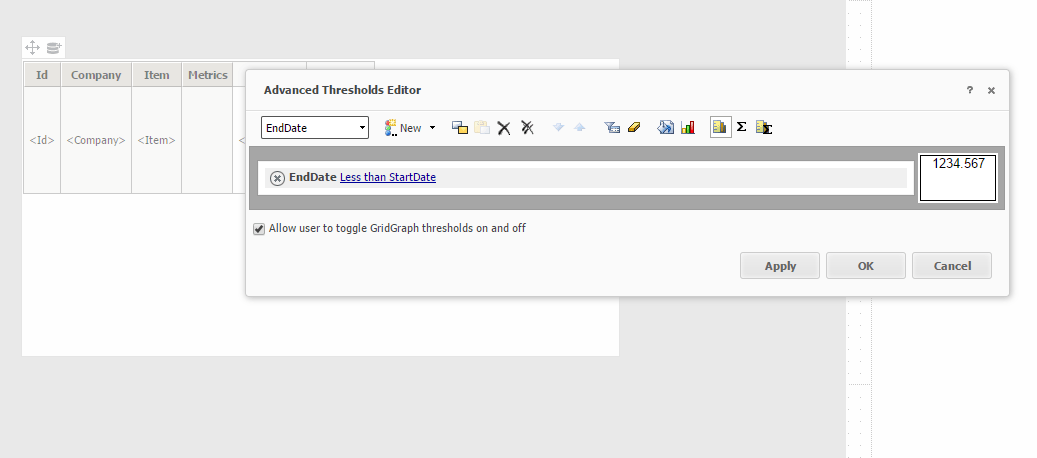
2) Choose the End Date and set a qualification as End Date less than Start Date as seen below:
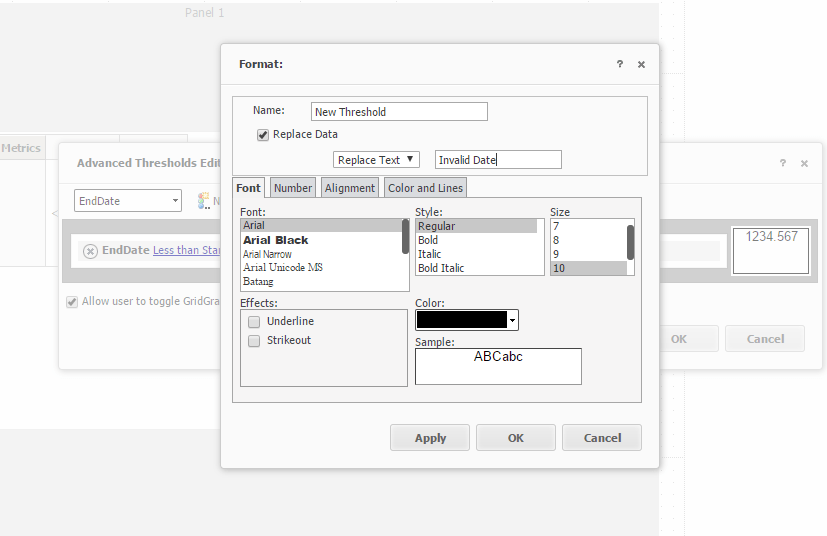
3) Double click on the threshold and check Replace Data, type a replace text like “Invalid Date”
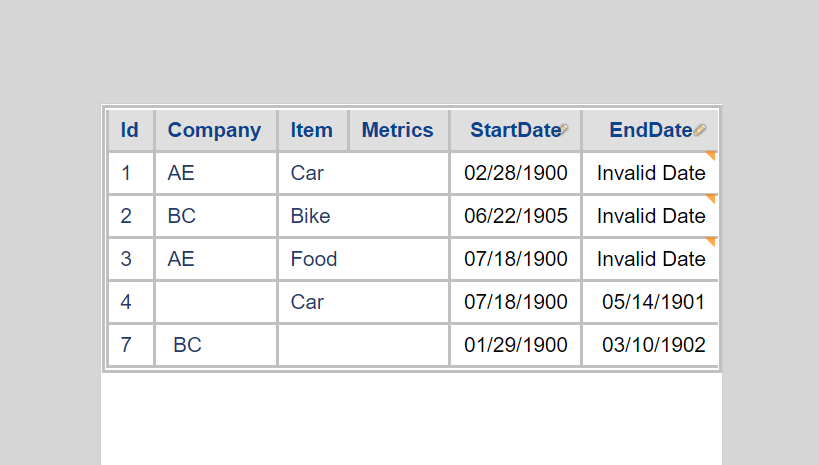
4) Run the document in presentation mode. If the End Date is earlier than Start Date, the End Date will be replaced with the words " Invalid Date". And users can change this data directly.
KB426484
