EducationSoftwareStrategy.com
StrategyCommunity

Knowledge Base

Product

Community

Knowledge Base

TopicsBrowse ArticlesDeveloper Zone

Product

Download SoftwareProduct DocumentationSecurity Hub

Education

Tutorial VideosSolution GalleryEducation courses

Community

GuidelinesGrandmastersEvents
x_social-icon_white.svglinkedin_social-icon_white.svg
Strategy logoCommunity

© Strategy Inc. All Rights Reserved.

LegalTerms of UsePrivacy Policy
  1. Home
  2. Topics

KB426502: Get "Api-ms-win-crt-string-l1-1-0.dll" is missing" error when open Service Manager after installing MicroStrategy 10.7


Xiwei (Eric) Zhuang

Software Engineer, Senior • MicroStrategy


Get "Api-ms-win-crt-string-l1-1-0.dll" is missing" error when open Service Manager after installing MicroStrategy 10.7

SYMPTOM:
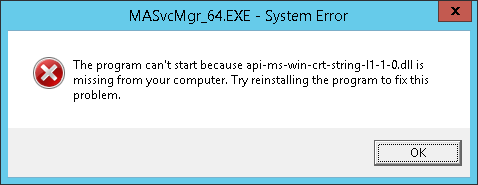
After installing Strategy 10.7, when open Strategy applications like Service Manager, get below error. Reinstalling the products would not fix the issue.


The program can't start because api-ms-win-crt-string-l1-1-0.dll is missing from your computer. Try reinstalling the program to fix this problem.
ka02R000000kVPzQAM_0EM440000002T1Q.png

CAUSE:
The issue occurs because Windows (Universal C Runtime) update is missing.
ACTION:
The issue should be solved by downloading and installing the Update for Universal C Runtime in Windows: 
https://support.microsoft.com/en-us/help/2999226/update-for-universal-c-runtime-in-windows


Comment

0 comments

Details

Knowledge Article

Published:

June 28, 2017

Last Updated:

January 17, 2018