In Strategy 10.8, the following custom visualizations are not included in the out of the box installation.
D3WordCloud
GoogleTimeline
KPIWidget
SequencesSunburst
The plug-in files for these custom visualizations can be downloaded from the MicroStrategy Visualizations Gallary. Please contact your Strategy administrator so that they can deploy them for you.
Instructions on how to deploy these custom visualizations in Strategy Web:
1. After the plug-in files have been downloaded as zip files, go to the Strategy Web Administrator Page.
2. Click on the Custom Visualizations option in the left pane, then click on the Upload Visualization Plug-in button.
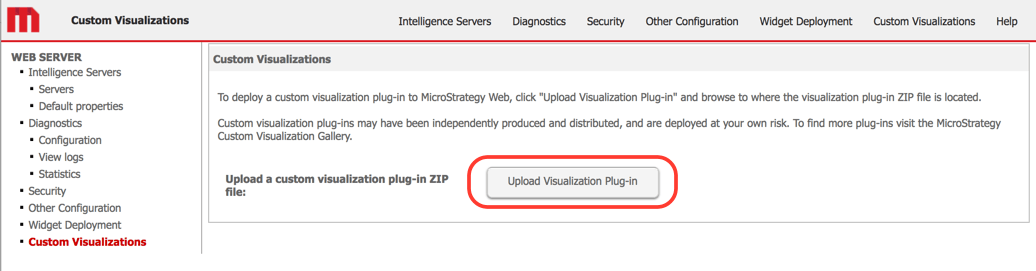
3. Note that the plug-in files do not need to be unzipped. Select the zip file of a custom visualization and click Open. Repeat with the rest of the zip files.
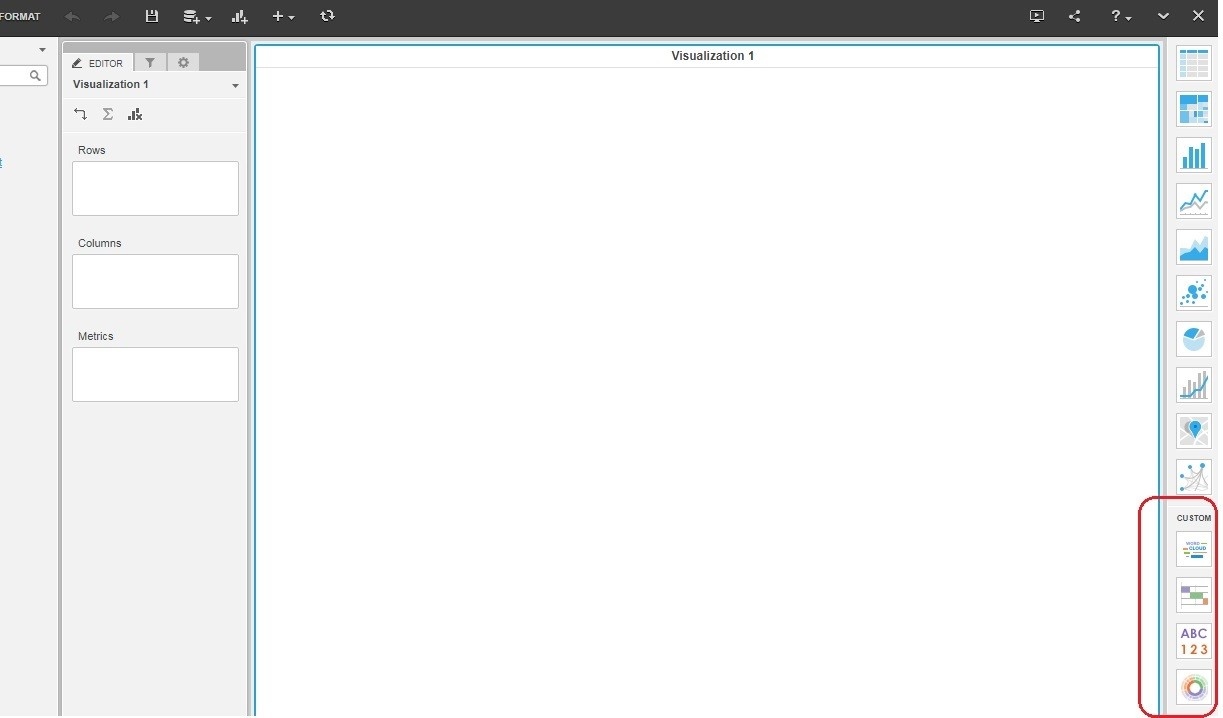
4. Log in to Strategy Web and create a Dashboard. You should now see the added custom visualizations in the Visualizations Gallery. Note that the Web server does not need to be restarted.
KB426563
