EducationSoftwareStrategy.com
StrategyCommunity

Knowledge Base

Product

Community

Knowledge Base

TopicsBrowse ArticlesDeveloper Zone

Product

Download SoftwareProduct DocumentationSecurity Hub

Education

Tutorial VideosSolution GalleryEducation courses

Community

GuidelinesGrandmastersEvents
x_social-icon_white.svglinkedin_social-icon_white.svg
Strategy logoCommunity

© Strategy Inc. All Rights Reserved.

LegalTerms of UsePrivacy Policy
  1. Home
  2. Topics

KB426596: In MicroStrategy Web 10.4 when having two separate search boxes searching on two different forms of the same attribute. The same element populates in both search boxes


Community Admin

• Strategy


In MicroStrategy 10.4, when using the search box in a document the search results are not being sorted alphabetically / numerically

SYMPTOM:
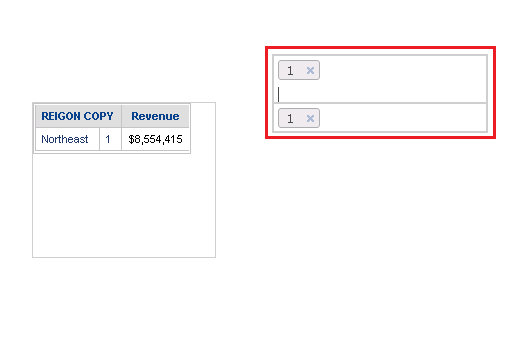
In Strategy Web 10.4 and above, when using two separate search boxes searching on two different forms of the same attribute. By selecting the either search box and entering either a numerical or alphabetical input, the same element populates in both search boxes.
ka04W000000Oan3QAC_0EM440000002TUk.png


STEPS TO REPRODUCE:

  • In Strategy Developer open up the Strategy Analytics Modules.
  • Click on Strategy Tutorial. 
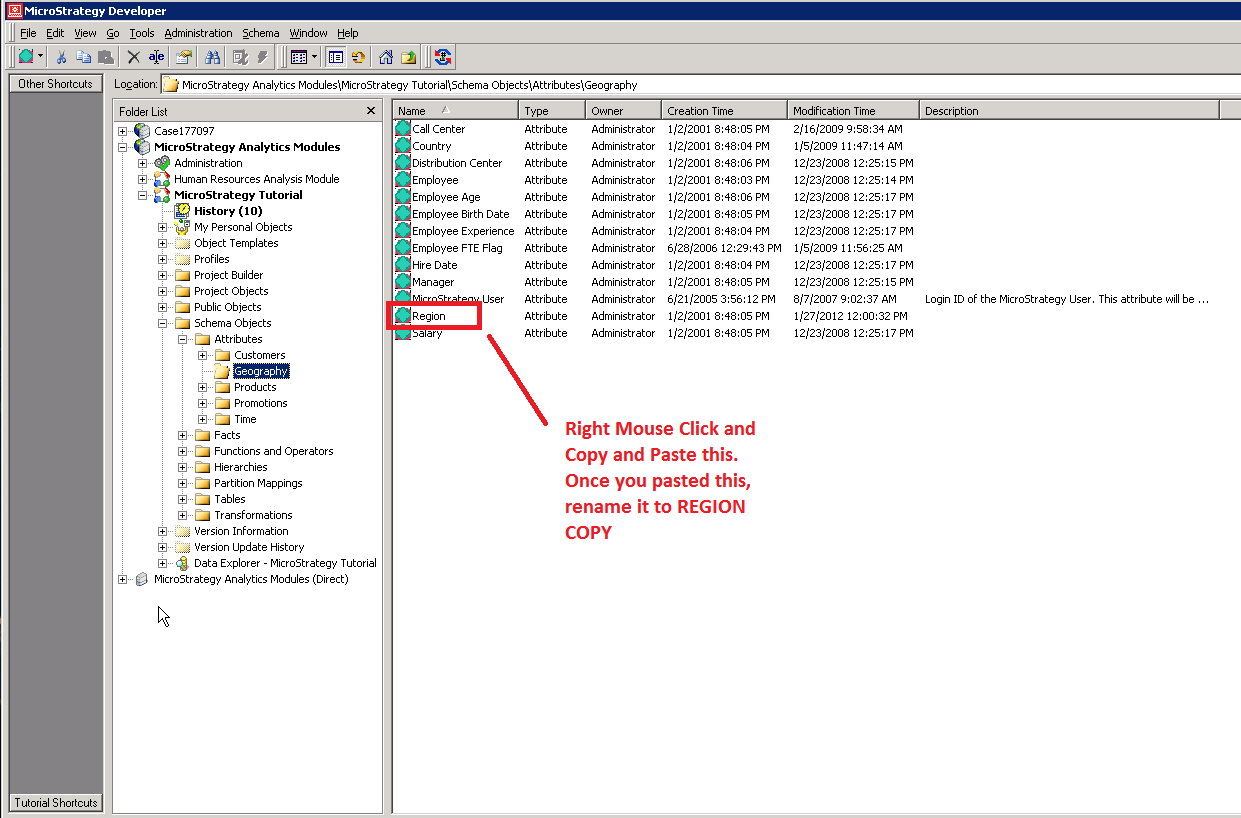
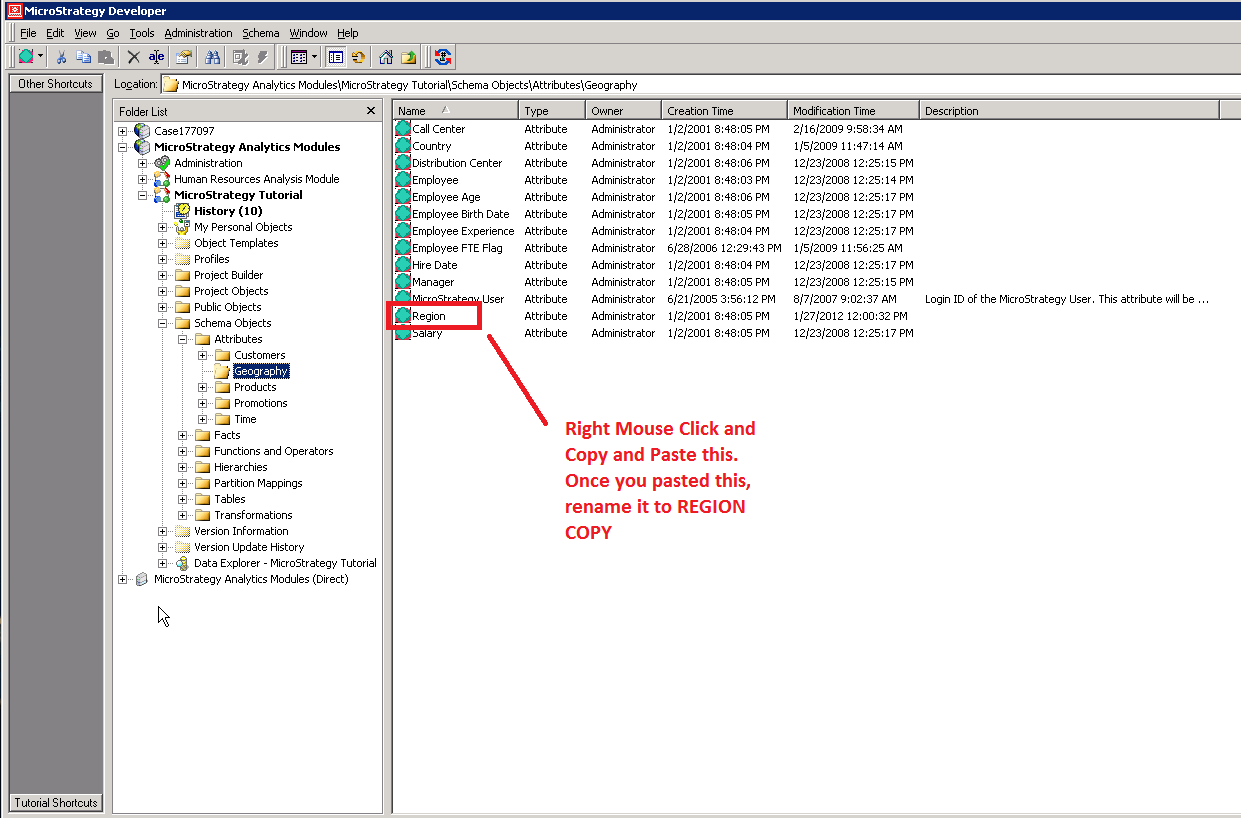
  • Under Schema Objects>Geography>copy and paste the "region" attribute. Rename it REGION COPY
ka04W000000Oan3QAC_0EM440000002TUz.png
  • Right Mouse Click on REGION COPY and edit it 
    ;
ka04W000000Oan3QAC_0EM440000002TVJ.png
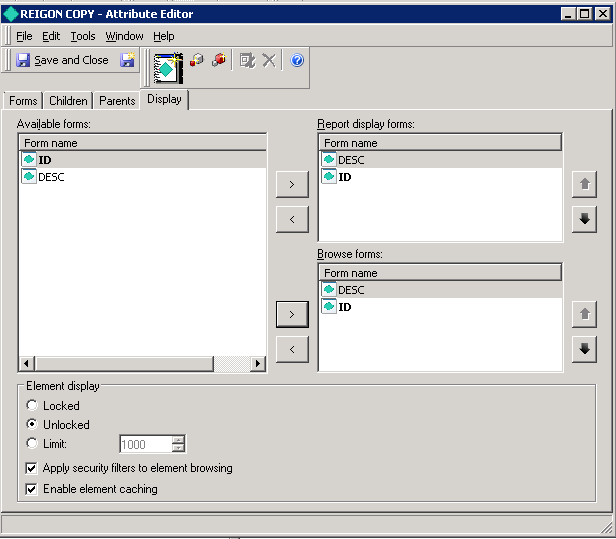
  • Click on the display tab and add ID to both the form name and browse forms on the right hand side 
    ;
ka04W000000Oan3QAC_0EM440000002TVn.png
  • Click save and close on the top left of the window.
  • Click on Update Schema on top tool bar.
    ;
ka04W000000Oan3QAC_0EM440000002TVs.png
  • Open Strategy Web. 
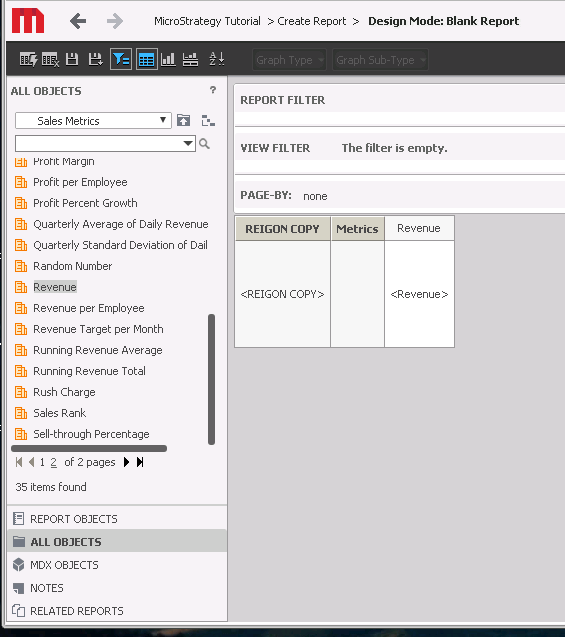
  • Create a report with the new "Region COPY" Attribute and a revenue for a Metric.
    ;
ka04W000000Oan3QAC_0EM440000002TVx.png
  • Save and close this report.
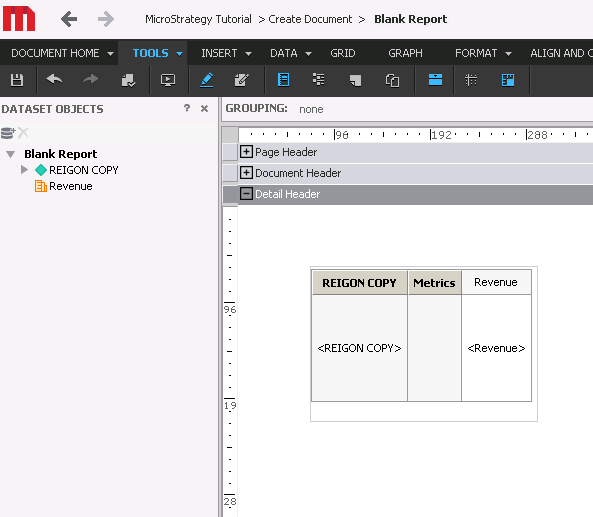
  • Create a new blank document
  • Add the report you just created for the dataset.
  • Insert a grid and add Region Copy and Revenue to the Grid
ka04W000000Oan3QAC_0EM440000002TWH.png
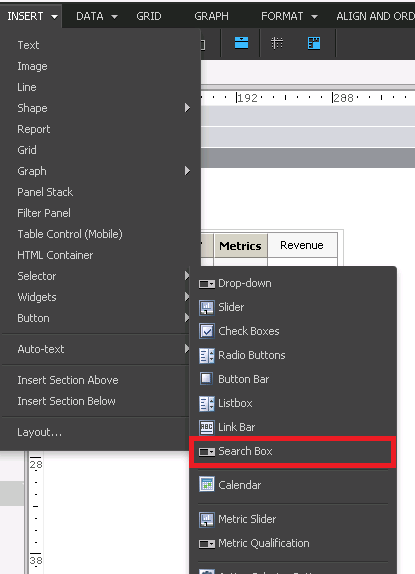
  •  Insert 2 Search Boxes 1 on top of the other by going to Insert>Selector>Search Box 
    ;
ka04W000000Oan3QAC_0EM440000002TWW.png
  • Right Mouse Click on the search box and go to properties and formatting 
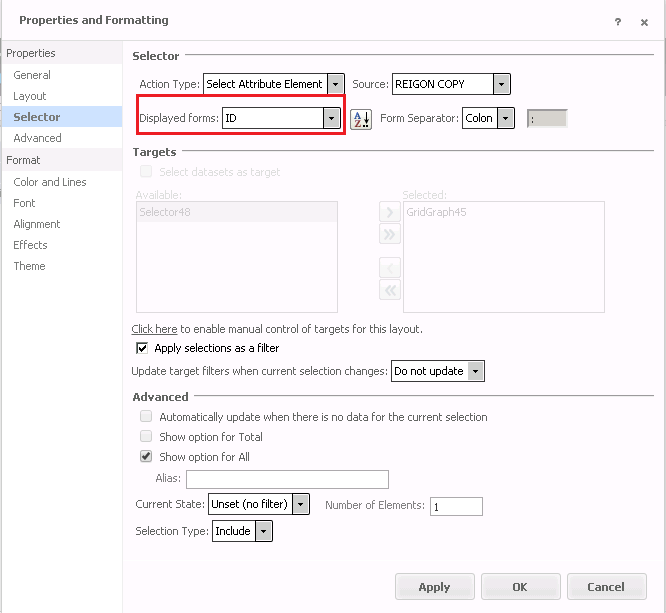
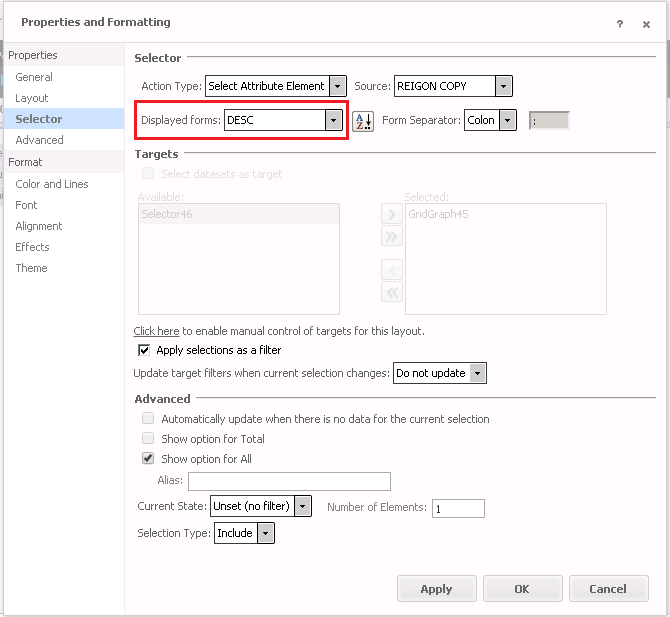
  • Next go to the Selector Tab and set the following: Action Type: Select Attribute Element, Source: Region, Displayed Forms: Custom (select ID for one, DESC for the other search box you created). 
    ;
ka04W000000Oan3QAC_0EM440000002TWb.png
ka04W000000Oan3QAC_0EM440000002TWg.png
  • Run the document in Presentation Mode 
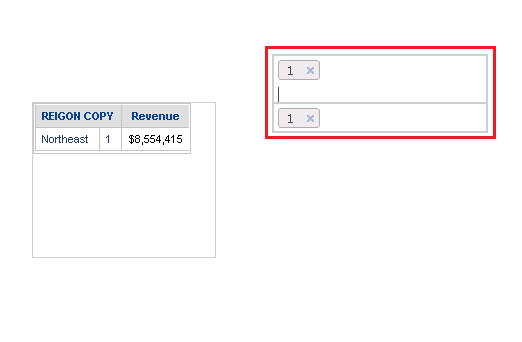
  • Input "1" in the top search box - notice it doesn't reflect a description in the bottom search box as the display form for the second search box should be a DESC. It only shows what the top search box is. This also happens when doing this vice versa 
ka04W000000Oan3QAC_0EM440000002TWq.png

CAUSE:
This is an identified defect in Strategy Web 10.4.
ACTION:
Currently this issue is still being reviewed for feasibility by our Technology team and it is not scoped for any upcoming scheduled Strategy release.
  KB426596


Comment

0 comments

Details

Knowledge Article

Published:

June 30, 2017

Last Updated:

November 13, 2018