In Strategy Web 10.x users have the ability to use Search filter in Visual Insight and Search Selector for Report Service Documents. This article will explain the behavior of the Search filter and Selector while searching for Elements.
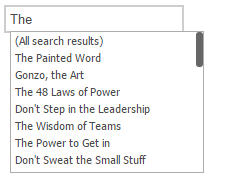
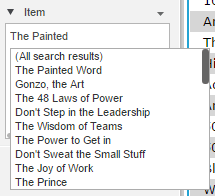
Strategy Web 10.x search for Attribute elements has been designed in a way so while searching it will bring all the Elements with the matching letters being search. Let's take Item attribute from Strategy Tutorial, for example. "The Painted Word" is an Element of Item and while you Type "The" in the search box, it will bring all other Elements will the letters "T H" and "E", like shown below:
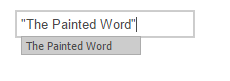
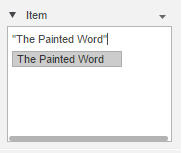
If you'd like to search for a specific Elements in the search Filter, you will have to use doubles Quotes around the entire Element name such as "The Painted Word" and that way the search will return only the Element you need, like shown below:
The search filter is designed that way so when searching, if the user can not remember the Element he or she is looking for, the search within the Filter or the Selector will help with bringing the matching options.
KB426601
