EducationSoftwareStrategy.com
StrategyCommunity

Knowledge Base

Product

Community

Knowledge Base

TopicsBrowse ArticlesDeveloper Zone

Product

Download SoftwareProduct DocumentationSecurity Hub

Education

Tutorial VideosSolution GalleryEducation courses

Community

GuidelinesGrandmastersEvents
x_social-icon_white.svglinkedin_social-icon_white.svg
Strategy logoCommunity

© Strategy Inc. All Rights Reserved.

LegalTerms of UsePrivacy Policy
  1. Home
  2. Topics

KB425857: "The catalog collection is not well formed. It contains two or more catalog instances with the same database role ID (xxx)" when choosing the pick tables option when creating a new dashboard in Microstrategy Web 10.0-10.7.


Community Admin

• Strategy


This Technical Note describes an issue where a user sees the error message "The catalog collection is not well formed. It contains two or more catalog instances with the same database role ID (xxx)" when using JDBC and following the steps: create>New dashboard> choose a database>Add external data> Pick tables

SUMMARY
This Technical Note describes an issue where a user sees the error message "The catalog collection is not well formed. It contains two or more catalog instances with the same database role ID (xxx)" when using JDBC and following the steps: create>New dashboard> choose a database>Add external data> Pick tables
SYMPTOM
"The catalog collection is not well formed. It contains two or more catalog instances with the same database role ID (xxx)"
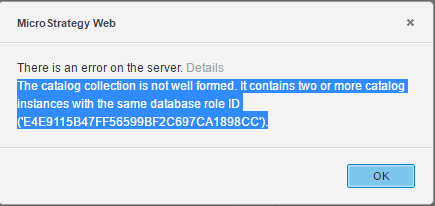
ka04W000000ObVAQA0_0EM440000002RrE.png


"The catalog collection is not well formed. It contains two or more catalog instances with the same database role ID (xxx)"​

STEPS TO REPRODUCE
1. Create new dashboard
2. Add external data
3. Create a JDBC connection to Amazon Redshift
4. Pick tables.
5. Upon clicking on the database name the error appears: "The catalog collection is not well formed. It contains two or more catalog instances with the same database role ID (xxx)"
CAUSE
This is a known issue with Strategy 10.6
ACTION
This issue is addressed in Strategy Web 10.8 and above by exposing the Read SQL options for the Amazon Redshift connection. 
The Strategy Internal Reference Number for the issue discussed in this technical note is DE60225.
KB425857


Comment

0 comments

Details

Knowledge Article

Published:

December 29, 2017

Last Updated:

December 31, 2018