To manually view the keys for tables in Strategy Architect 9.x, in the schema folder, under tables, highlight a table and select edit.
As shown below, some of the columns have a key icon next to them.
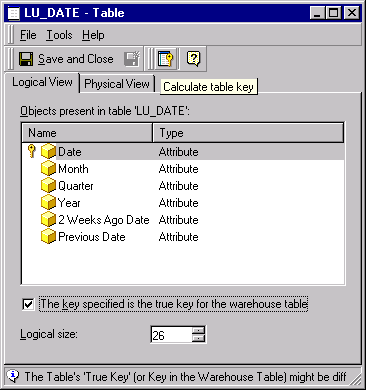
How do users change this key?
When the 'Calculate table key' function is executed, the key is calculated from the primary key(s) defined in the logical data model.
To change the key in Strategy Architect, the data modeling in Architect must be changed. (See the Strategy Knowledge Base document KB4100-7X0-0062.)
Strategy Architect does not determine the primary key from the warehouse tables. Instead, it assigns the primary key by looking at the logical structure user given to the tables in the project. Therefore, the logical primary keys and the true (warehouse) primary keys may differ.
