SYMPTOM
In Strategy Web 9.3.0, users can export a report services document containing a group-by field to Microsoft Excel and have group-by elements break into new sheets by enabling the 'Sheet break between groups' option from right-clicking the group-by field, like shown below:
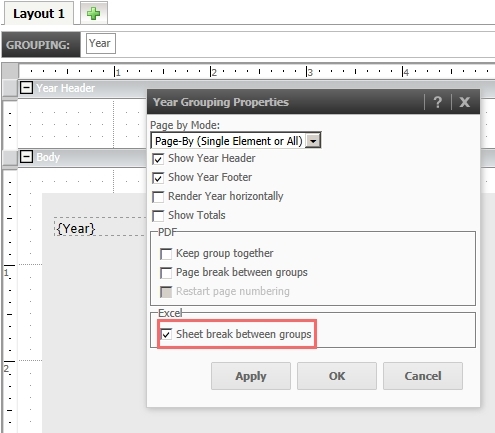
However, even with this setting enabled, users may find that when executing the same document through Strategy Office 9.3.0, sheet breaks do not appear.
ACTION
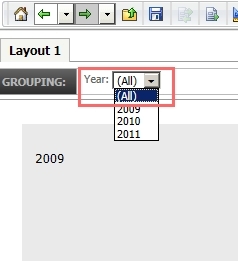
To enable this feature, access the Grouping Properties menu and ensure that aside from the Sheet break between groups, the Page by Mode option is set to allow the "All" option. Then, run the document and select the 'All' element from the group-by field. Save the document with this element selected, like shown below:
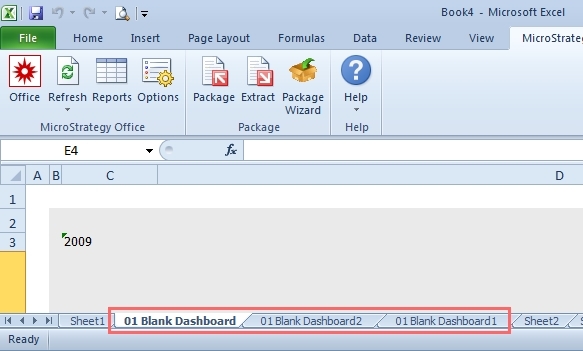
Upon doing so, the document will now break into separate sheets when executed through Strategy Office 9.3.0, like shown below: