SYMPTOM:
It is possible to block all users from the Administration page of Strategy Web and Strategy Mobile except for specific Windows users.
ACTION:
The environment is able to block specific users by follow these steps below.
1.) Open up IIS in Microsoft Windows.
2.) Navigate to Strategy or StrategyMobile as shown in the image below

3.) Expand the selected application and navigate to the asp folder.
4.) Select "Content View" on bottom as shown below

5.) Right Click on Admin.aspx and select "Switch to Features View" as shown below

6.) Then select Admin.aspx on the left panel as shown below

7. Double Click on Authentication on the right side as shown below

8.) Enable Windows Authentication as shown below

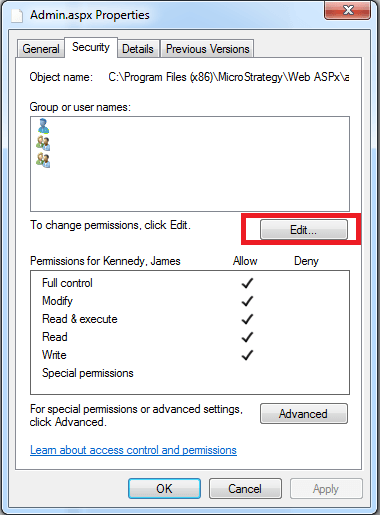
9.) Right Click on the Admin.aspx and hit "Edit Permissions" as shown below

10.) Add Selected users below and grant them full access.