EducationSoftwareStrategy.com
StrategyCommunity

Knowledge Base

Product

Community

Knowledge Base

TopicsBrowse ArticlesDeveloper Zone

Product

Download SoftwareProduct DocumentationSecurity Hub

Education

Tutorial VideosSolution GalleryEducation courses

Community

GuidelinesGrandmastersEvents
x_social-icon_white.svglinkedin_social-icon_white.svg
Strategy logoCommunity

© Strategy Inc. All Rights Reserved.

LegalTerms of UsePrivacy Policy
  1. Home
  2. Topics

KB427399: "Unexpected Error Occurred. The service did not respond to the start or control request in a timely fashion." Error message is received when starting MicroStrategy Intelligence Server 9.3.0 and Higher on Windows Operating Systems


Community Admin

• Strategy


This KB article discusses an issue that may affect the Intelligence Server if some non-default Windows Operating system fonts are found in the 'C:\Windows\Fonts' directory. A solution is given

SYMPTOM:
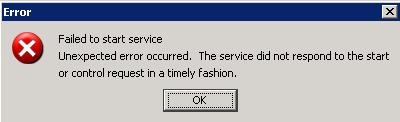
When attempting to start the Strategy Intelligence Server 9.4.x or higher, the following error message is received:
ka04W000000OanTQAS_0EM440000002VgF.jpeg


Failed to start service. Unexpected error occurred. The service did not respond to the start or control request in a timely fashion
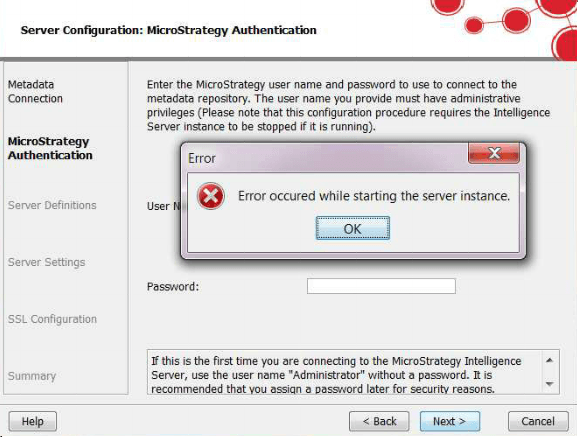
Additionally, when configuring the Intelligence Server through the Configuration Wizard, the following errors are encountered:

ka04W000000OanTQAS_0EM440000002VgH.png


Error occured while starting the server instance.

 
Lastly, when attempting to start the Intelligence Server as an application (C:\Program Files (x86)\MicroStrategy\Intelligence Server\MSTRSvr2_64.exe), the following error is seen:

ka04W000000OanTQAS_0EM440000002VgI.png


MSTRExec Error: main() caught MBase::BaseException.
Failed to dynamically load library ;MSTRSvr2_64.dll'. (Server message 305419896)
        Unknown error. (Windows API error -529697949)

 
CAUSE:
This behavior is caused by some non-default Windows Operating system fonts found in the 'C:\Windows\Fonts' directory. When attempting to start the Intelligence Server instance the graphing libraries will initialize the fonts on the host machine. In this instance when reading these particular fonts the Intelligence Server hits an exception and the server is shut down. While the origin of these fonts is currently unknown, they are not installed as part of the default Windows Operating System installation.
 
ACTION:
Remove the problematic fonts from the Strategy Intelligence Server machine. Currently this behavior has only been observed with the following font files: 

  • italicc_.ttf
  • italict_.ttf
  • italic__.ttf


KB427399


Comment

0 comments

Details

Knowledge Article

Published:

July 31, 2017

Last Updated:

January 1, 2019