SYMPTOM:
The following error message shows up during the metadata upgrade process using Strategy Configuration Wizard 9.3.0:
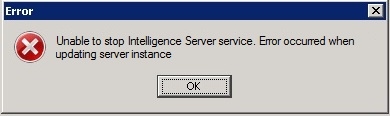
Sample Code/Error
Unable to stop Intelligence Server service. Error ocurred when updating server instance
No entry regarding this error is recorded into the Strategy log file MDUPD which is stored by default onWindows Operating Systems, under ~\Program Files\Common Files\MicroStrategy\Log. Also, according to the Microsoft Event Viewer records, the Strategy Intelligence Server service was stopped and started normally.
CAUSE:
The Microsoft Active Directory User's account is not part of the local operational system administrators group on the machine where Intelligence Server is installed. To confirm this scenario, launch the Command Prompt and run the command .net localgroup administrators:
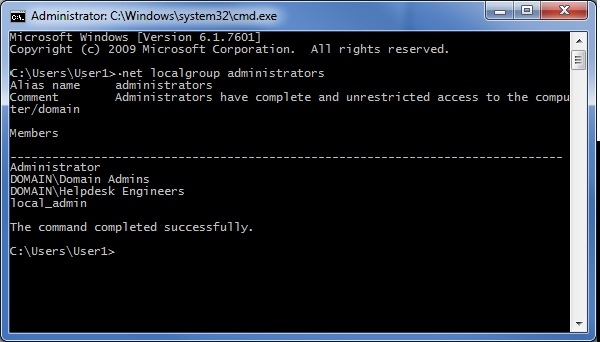
If the referred User's credential is not listed along with the users and groups which are members of the local operational system administrators group, it means the user is not part of this group.
ACTION:
Launch the Strategy Configuration Wizard 9.3 with the local operational system administrator.
WORKAROUND:
If it is not possible to log into the machine that hosts the Strategy Intelligence Server with the local administrator account, so go to Start > All Programs > Strategy > right click on the Configuration Wizard > select the option Run as Administrator and input the available credential. There are certain environments which this workaround does not work.
