Usher Identity securely encapsulates your Strategy customer identity with no physical IDs involved. The application offers a clean action-based design and can be used to:
• Log in to the Strategy Resource Center by scanning a QR Code
• Automatically identify yourself to Strategy customers and employees
• Find and identify nearby Strategy customers and employees via Bluetooth
• Manage and safeguard your Strategy credentials
The following procedure describes how to begin using your Strategy badge on the Usher Identity app:
1. Visit the Get Badge page found at https://apps.microstrategy.com/UsherClient/GetBadge
2. Install the Usher Identity app from the App Store or Google Play.
Note: Usher Identity requires iOS 7.0 or later, or Android 4.0 and up.
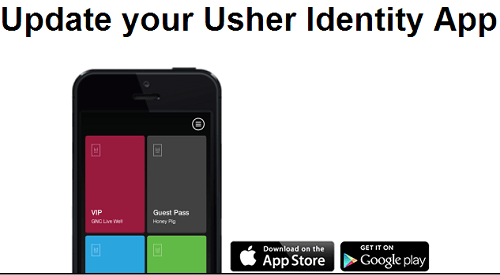
If you had a previous version of the Usher app installed, please be sure to upgrade to the latest version of Usher Identity.
3. Next, enter your Resource Center email address and click on submit.
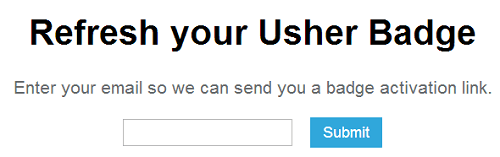
4. After clicking on the Submit button, you will receive an email from usher@usher.com with a link to get your Strategy Customer badge. Be sure to open this email on the same device you have installed the Usher Identity app on.
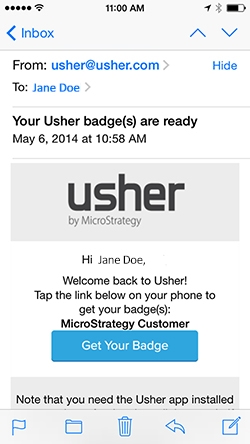
5. Tapping the "get your badge" button in the email will automatically load your Strategy Customer badge into the Usher Identity app.
6. Your Strategy badge displays your name, title, and company name as they are registered in your Strategy Resource Center account.
Once your Strategy badge is loaded, you can use the Usher Identity app to login to the following Strategy sites secured with an Usher QR Code:
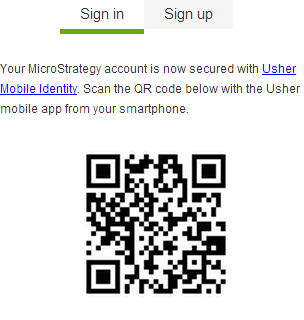
Simply find the Usher QR Code on the login page, open the Usher Identity app and slide the screen up to access the validation screen, and then scan the Usher QR Code with your device to login.
For more information on Usher, please visit www.microstrategy.com/usher.
KB428742
