EducationSoftwareStrategy.com
StrategyCommunity

Knowledge Base

Product

Community

Knowledge Base

TopicsBrowse ArticlesDeveloper Zone

Product

Download SoftwareProduct DocumentationSecurity Hub

Education

Tutorial VideosSolution GalleryEducation courses

Community

GuidelinesGrandmastersEvents
x_social-icon_white.svglinkedin_social-icon_white.svg
Strategy logoCommunity

© Strategy Inc. All Rights Reserved.

LegalTerms of UsePrivacy Policy
  1. Home
  2. Topics

KB42884: How to manually edit the SOAP address location listed in WSDL when using Web Services J2EE 9.2.x and above


Community Admin

• Strategy


The following steps describes how to manually edit the SOAP address location listed in WSDL when using Web Services 9.2.x J2EE and above

The following steps describes how to manually edit the SOAP address location listed in WSDL when using Web Services 9.2.x J2EE and above:
 
1. Locate WEB-INF\services.xml and set the following parameter to false


<parameter locked="false" name="modifyUserWSDLPortAddress">false</parameter>
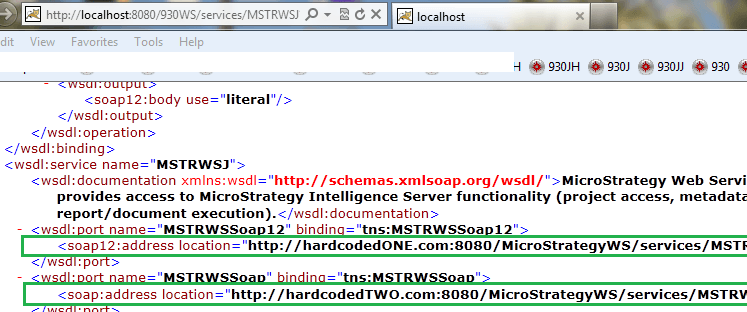
 
2. Modify MSTRWSJ.wsdl file manually to reflect the desired IP address. MSTRWSJ.wsdl is located under StrategyWS\WEB-INF folder.
 
3. Restart the web server to see the updated WSDL (see example below)
 

ka04W000000OdzCQAS_0EM4400000026m7.png


Comment

0 comments

Details

Knowledge Article

Published:

June 14, 2017

Last Updated:

June 14, 2017