By default, hyperlinks in a Report Services document are underlined. The underlining can not be removed by changing the format of the metric or attribute.

The ability to remove the underlining has been logged as an enhancement request. Contact Strategy Technical Support for an update on this enhancement.
A workaround to remove the underlining is to clear the default link.
1) Right click the object that is linked and choose 'Edit Links.'
2) Click the 'Clear Default' button while the link is highlighted.
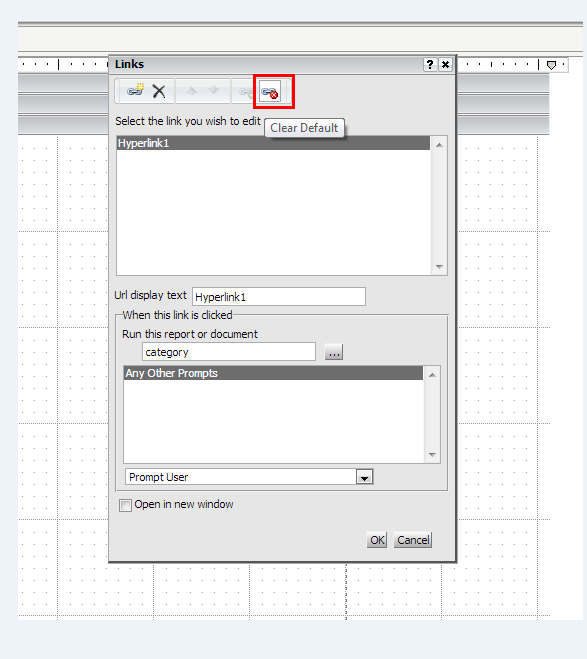
3) The underlining should be removed as shown below.

The only limitation to this workaround is that in order to get to the link, the object has to right clicked on. The user can not directly click on the object and be taken to the new page.

