SYMPTOM:
The Custom Group attributes are not available to be selected as Break By criterion for RunningSum metrics. Only regular attributes are available for this usage purpose.
STEPS TO REPRODUCE:
Follow the steps below in order to reproduce this scenario using the Strategy Tutorial project:
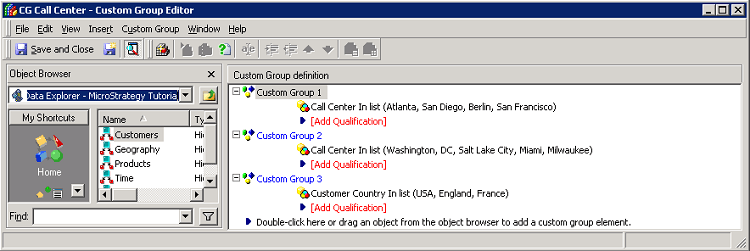
1) Create a Custom Group using the Call Center attribute elements:
Group 1: Atlanta, San Diego, Berlin and San Francisco
Group 2: Washington, DC, Salt Lake City, Miami and Milwaukee
Group 3: New Orleans, Seattle, Boston and New York
Group 4: London, Fargo, Memphis and Charleston
The Custom Group content should be similar to:
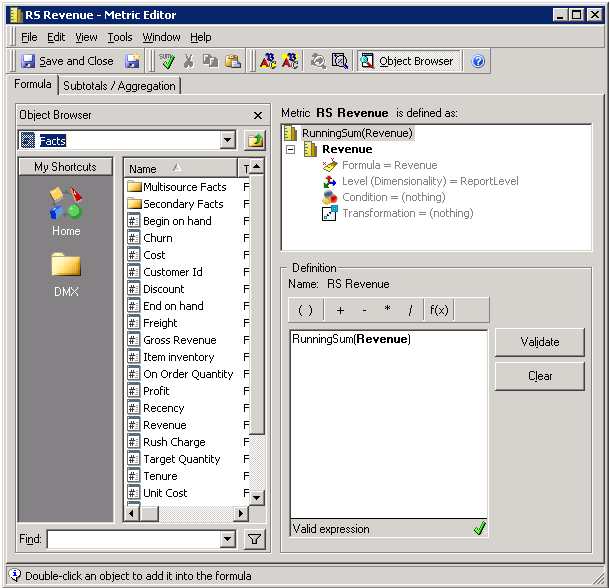
2) Create a RunningSum metric over the regular Revenue metric:
Sample Code/Error
Metric formula definition: RunningSum (Revenue)
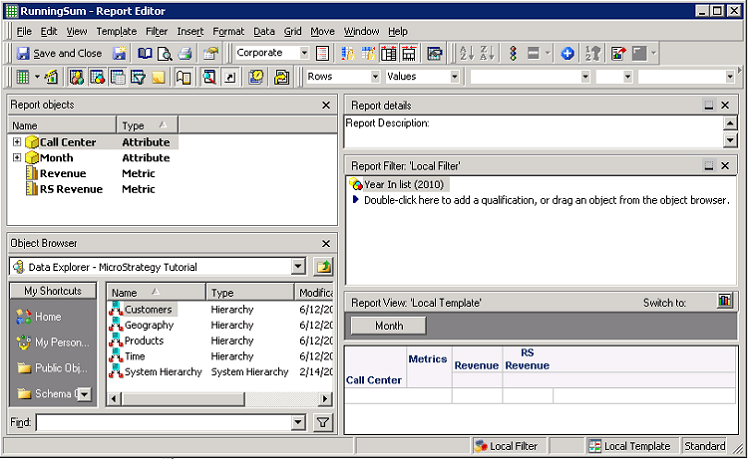
3) Create a new report and add to:
Rows: Call Center attribute
Page-by: Month attribute
Columns: RunningSum metric newly created and the Revenue regular metric
Report Filter - Local Filter: a filter of type Attribute qualification based on the Year attribute and its element 2010
The expected report structure and view shoud be similar to the sample that follows:
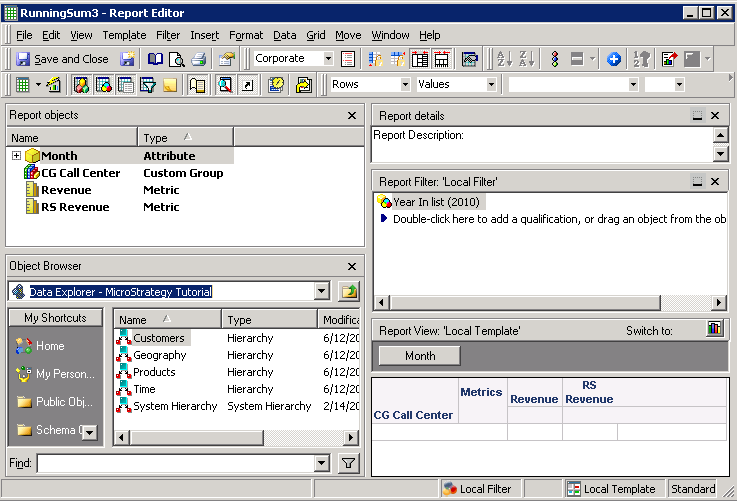
4) Create one more new report and add to:
Rows: Custom Group created at the first step
Page-by: Month attribute
Columns: RunningSum metric newly created and the Revenue regular metric
Report Filter - Local Filter: a filter of type Attribute qualification based on the Year attribute and its element 2010
The expected report structure and view shoud be similar to the sample that follows:
5) Compare the results of both repors:
Result of report created at the third step:
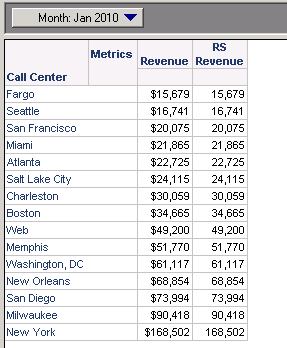
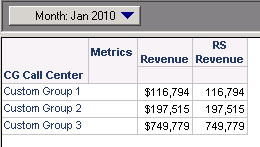
Result of report created at the fourth step:
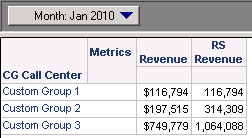
Since the first month Jan 2010 was selected in the Page-by, the results from both metrics should the same; however, the RunningSum metric values from second report are different.
CAUSE:
The Custom Group attributes are not available to be selected as Break By criterion for RunningSum metrics. Only regular attributes are available for this usage purpose.
ACTION:
An enhancement request regarding this feature has been logged to the Strategy Technology department. For further information or an updated on this issue, contact the Strategy Technical Support.
WORKAROUND:
Even though, it is not possible to use the Custom Group attributes as Break By criterion for RunningSum metrics; in certain cases, it is possible to achieve the same result by following the steps below:
1) Edit the RunningSum metric
2) In the Subtotals / Aggregation tab, uncheck the Allow Smart Matric option
3) Right mouse click on the RunningSum funcion and select the Properties option
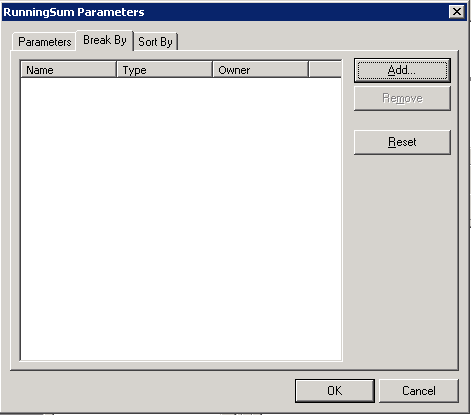
4) In the Break By tab, remove the attributes used to compound the Custom Group elements:
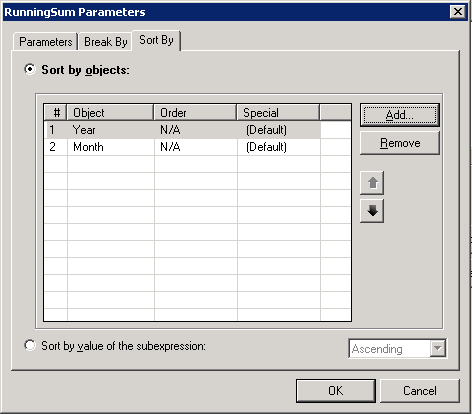
5) In the Sort By tab, add the Year and Month attributes:
6) Any attribute which is part of the Custom Group should be removed from report definition; it means, all attributes used to compound the Custom Group cannot be part of the report definition. Run the report to see the expected result:
KB42940
