In Strategy Mobile 9.x and 10.x new information window modes have been added to create new transitions to tailor how information windows appear. The available information windows modes in Strategy Mobile 9.x and 10.x are the following:
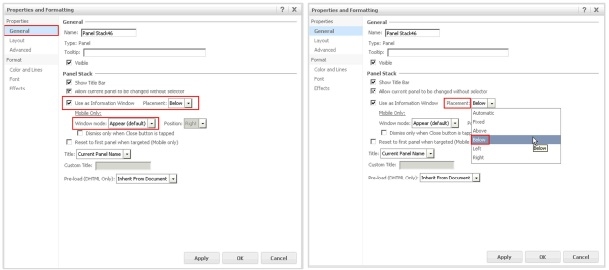

The new information windows modes also include a property that controls whether the information window closes automatically or if the user must close it manually by tapping on the ‘Close’ button. To enable these modes, the user needs to access the Panel stack properties and in the General menu select the option "Use as Information Window". Modes 2, 3 and 4 are currently only available in Strategy Mobile for tablet devices only.
