SYMPTOM:
While creating a new DSN, using the Connectivity Wizard, in Strategy Universal 2021 running on UNIX/LINUX against a Microsoft SQL Server database the following error message can be seen when testing the connection. The same DSN connection information can be successfully connected to when running Connectivity Wizard on a Windows Operating system.
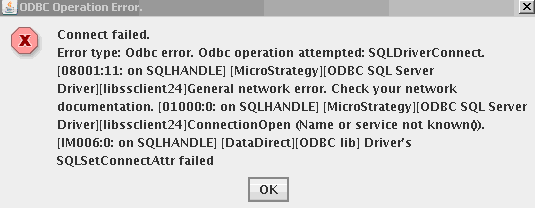
Connect failed.
Error Type: Odbc error. Odbc operation attempted: SQLDriverConnect.
General network error. Check your network
documentation. ConnectionOpen (Name or service not known()).
Driver's
SQLSetConnectAttr failed
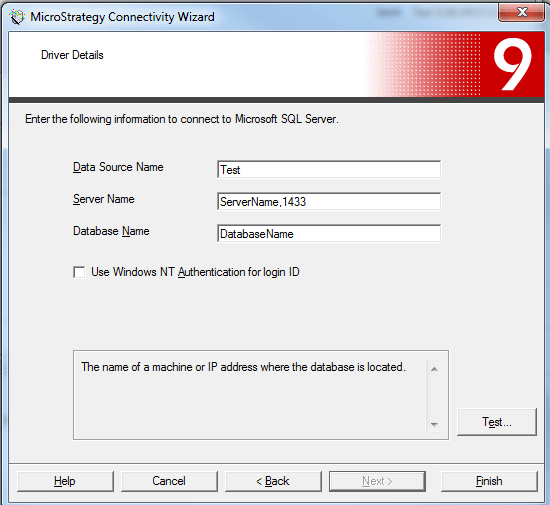
4. Select Test, enter the user name and password and click Connect. The connection should succeed.
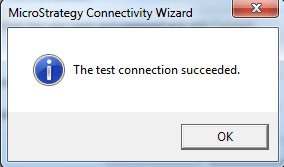
5. On a UNIX/LINUX operating system open the Strategy Connectivity Wizard GUI by using the mstrconnectwiz command
6. Select the Microsoft SQL Server Driver and provide the same connection parameters as step 3.
7. Test the connection to the database by entering the user name and password and click Connect, the connection will fail.
CAUSE:
This is caused by the port number after the Server name. In the example above the port number 1433 is added after ServerName so that the Server name appears as ServerName,1433. The port number does not need to be added after the server name when creating a DSN. If it is added it will successfully work in Windows but fails when used in UNIX/LINUX
ACTION:
Remove the port number from after the Server name when creating a DSN in UNIX/LINUX. In the example above the Server name just needs to be ServerName. The 1433 is not needed after the server name.
