SYMPTOM:
To reproduce this issue, create a report which contains the attributes 'Year', 'Week of Year' and 'Month' along with at least two respective metrics, such that data exists to be returned consistently at the end and beginning of a calendar year.
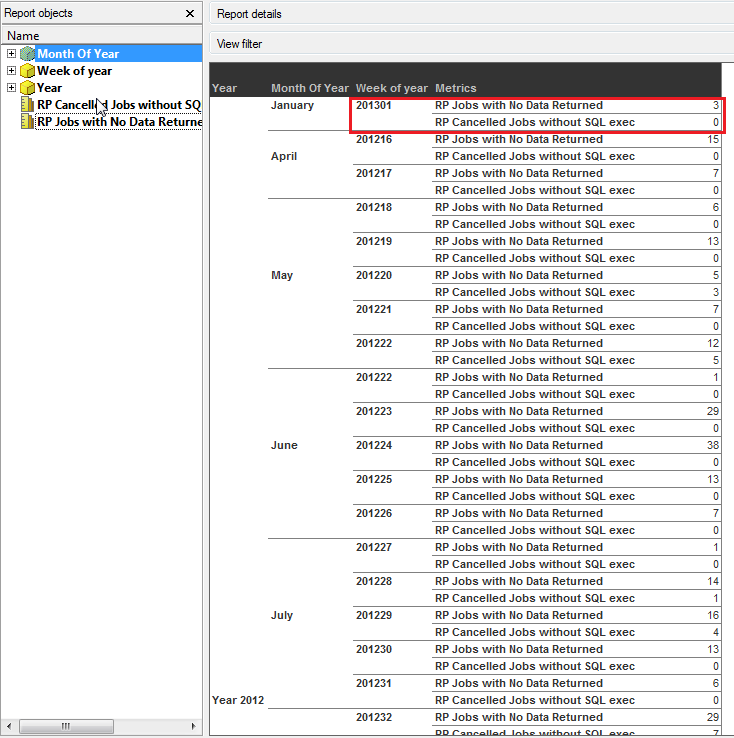
After creating and running the report, a 'Week of Year' value does not appear to fit under the respective Year. In the example shown above, the 'Week of Year' value of '201301' falls under the Year 2012 - not within its respective Year 2013. In this instance, it is observed that the first week of the new year may fall under the previous year; But this may cause data to be skewed when looking at results at the month level, January 2012 - a non-desired behavior.
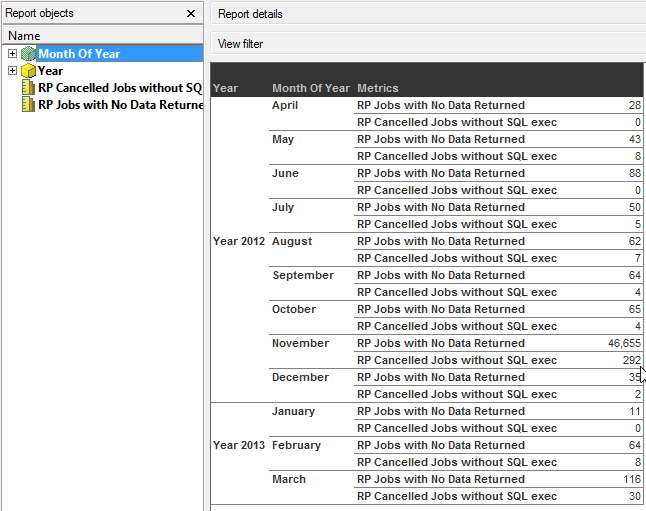
To see the issue further - when the 'Week of Year' attribute is removed from the report entirely, a month of January in 2012 is no longer seen as in this environment there was no data for January 2012.
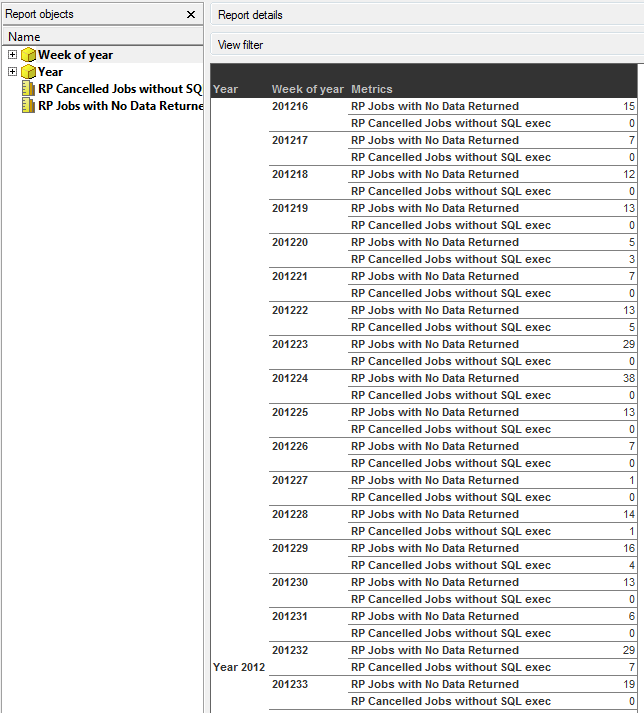
Alternatively, when running the report with the attributes 'Year' and 'Week of Year' and having removed 'Month of Year' from the report, we once again see expected results
CAUSE:
This is due to how Enterprise Manager defines the 'Week of Year' attribute. The following is the description of the 'Week of Year' Attribute in Enterprise Manager 9.x:
"The ISO 8601 rule is: The first week of the year is the week containing the first Thursday. Therefore, if January 1 falls on a Friday, it belongs to the last week of the previous year. If December 31 falls on a Wednesday, it belongs to week 01 of the following year. Every week begins on a Monday.
In the ISO standard, the first 1-3 days of a year may belong to the previous year. Instead, in the Enterprise Manager calendar such days have been added to the last week of the same year to keep the 1:M relationship between and . Therefore, the last week of the year can have up to 9 days, but there are no weeks in the calendar which have days coming from two different years. This approach is more useful for Enterprise Manager users. "
When we include the 'Month of Year' attribute on the same report as the 'Week of Year' attribute, we see an inconsistency in results. The Week of Year attribute is designed to place the beginning days of the Year (January) into the respective end of year week of the previous year. However, the 'Month of Year' attribute interprets the values added to Week 52 of the previous year differently. Since the 'Week of Year' attribute is present on the report, there are days from Week 1 of the following year (2013) within the previous year (2012).
ACTION:
Users should not create custom reports which contain both 'Week of Year' and 'Month of Year' attributes on the same report, in order to avoid this situation. When creating custom reports in Enterprise Manager 9.x, it is important to fully understand the schema to ensure consistent results.
