SYMPTOM:
View filters on reports can be of type "In List". This type of view filter will display the full list of attribute elements for the user to select for the filtering condition. In Strategy Developer 9.x, the list from the view filter can be sorted alphabetically ascending or descending by manipulating the attribute's "Browse sorting" property, like shown below:
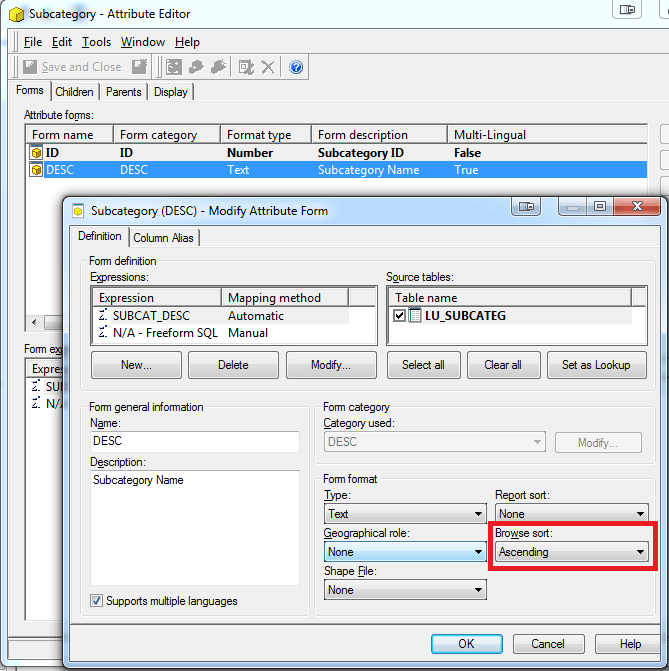
However, in Strategy Web 9.x, the sorting for the view filter list does not seem to be affected by this property.
STEPS TO REPRODUCE:
Follow these steps in Strategy Tutorial 9.x to reproduce:
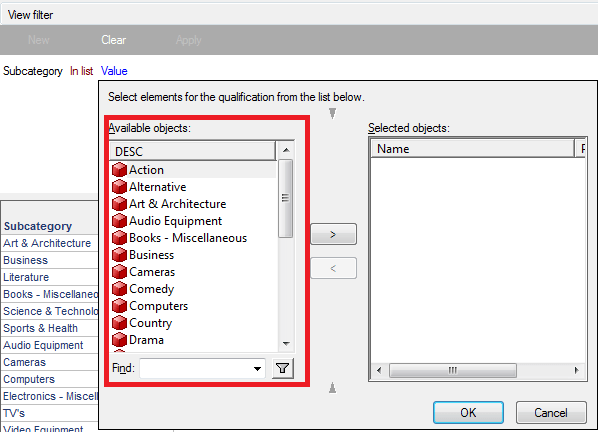
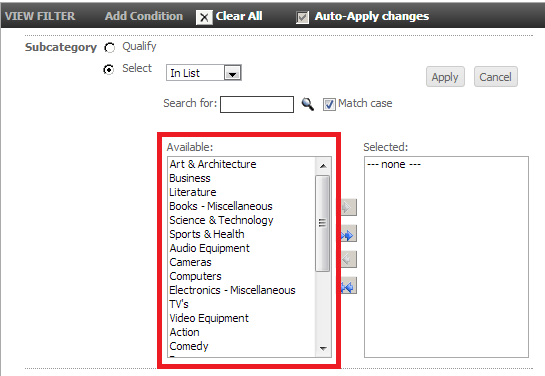
CAUSE:
This is a known issue in Strategy Web 9.x.
ACTION:
Strategy will continue to investigate and post updates as soon as they are available.
WORKAROUND:
In the attribute editor in Strategy Developer 9.x, set the "Report sort" to "Ascending" as well. This will make the elements in the view filter in Strategy Web sort correctly.
