SYMPTOM:
When logging in to Strategy Object Manager 9.x -10.x, the following error message appears:
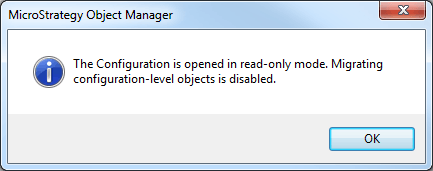
The Configuration is opened in read-only mode. Migrating configuration-level objects is disabled.
ACTION:
Since the root cause is unknown, in order to track down the cause of the inconsistency, customers encountering this issue should make note of configuration-related changes, Object Migrations, or error messages prior to experiencing the problem. Change Journal, if it has been enabled, can help in preserving this information.
WORKAROUND:
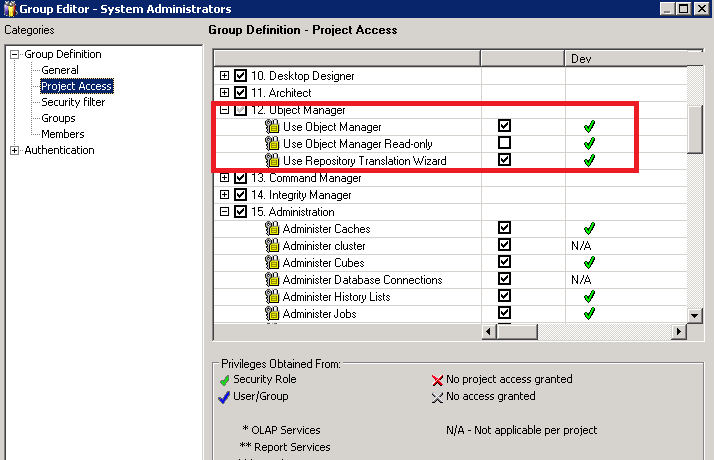
Check the affected user's user group and the user group's Security Role. If both 'Use Object Manager' and 'Use Object Manager Read-only' privileges are enabled, uncheck privilege 'Use Object Manager Read-only'.
In some cases this workaround will not resolve the problem and the user will still show they are inheriting the read-only privilege from the group. If this is the case, edit the group the privilege is coming from. Select the privilege of 'Use Object Manager Read-only', and then check 'Use Object Manager'. Hit OK and then the user is updated with not having that selected.
