SYMPTOM:
Metric with "Sum" function is not aggregated as expected in Strategy Developer 9.4.x-10.x.
The DATA_IMPORT_CSV.csv file in C:\Program Files\Strategy\Tutorial Reporting\CSVFiles is used as a sample data source.
Partial data in the csv file is shown as below:
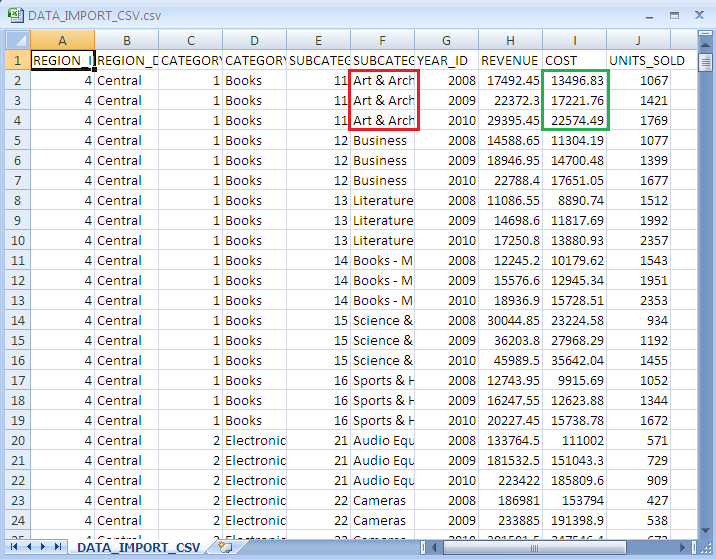
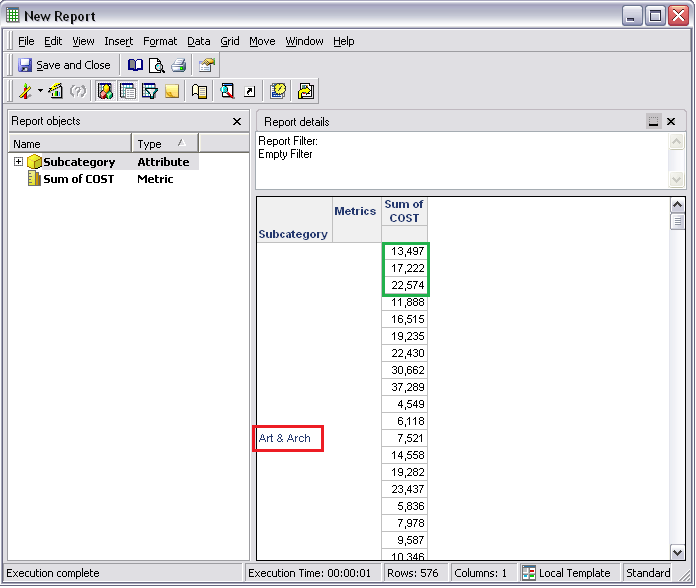
Create attributes "Category" and "Subcategory" and Fact "cost" in a project against this data source. After running a report containing the attribute "Subcategory" and metric "Sum of COST", "Sum of COST" is found not aggregated but just listed all the related records in the data source file.
CAUSE:
By checking the SQL statements of the report, there is no "sum" or "group by" statement.
Sample Code/Error
select a11.SUBCATEGORY_ID SUBCATEGORY_ID,
a11.SUBCATEGORY_DESC SUBCATEGORY_DESC,
a11.COST WJXBFS1
from DATA_IMPORT_CSV a11
By checking the Architect, there are only two attributes defined--"Category" and "Subcategory", where "Category" defined as the parent of "Subcategory".
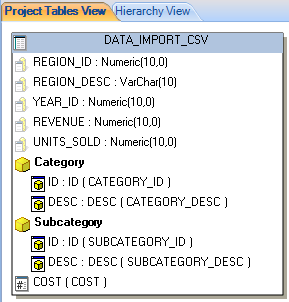
Since there is no other attribute defined and 'Subcategory" is already the lowest level in the report as well as in the data source file, there is no need to aggregate the metric, thus the Engine returns all the records in the data source file.
ACTION:
Define all other attributes, e.g. Region, Category, Year in this example, and update schema. Run the report again, each subcategory has a summed up value which indicates the metric is aggregated now.
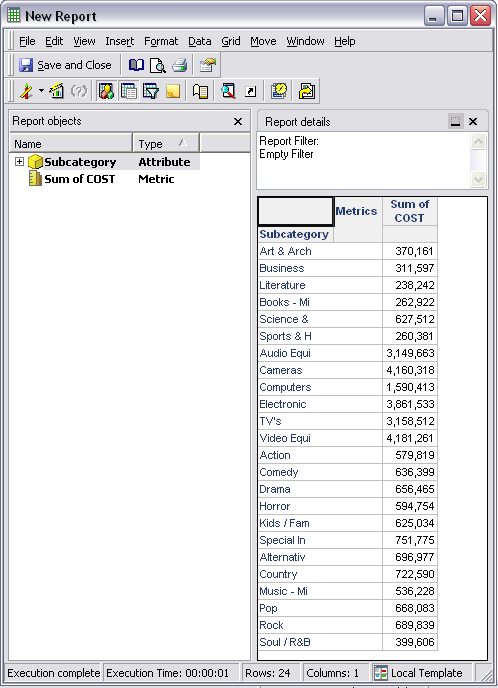
SQL statements of the report are:
Sample Code/Error
select a11.SUBCATEGORY_ID SUBCATEGORY_ID,
max(a11.SUBCATEGORY_DESC) SUBCATEGORY_DESC,
sum(a11.COST) WJXBFS1
from DATA_IMPORT_CSV a11
group by a11.SUBCATEGORY_ID
