SYMPTOM:
In Strategy 9.4.x-10.x, all dashboard objects are not visible in the layout area in design view mode. In fact the entire layout area is grey and although the selections of the objects can be seen when manipulated by the objects tree, the objects themselves are not visible.
CAUSE:
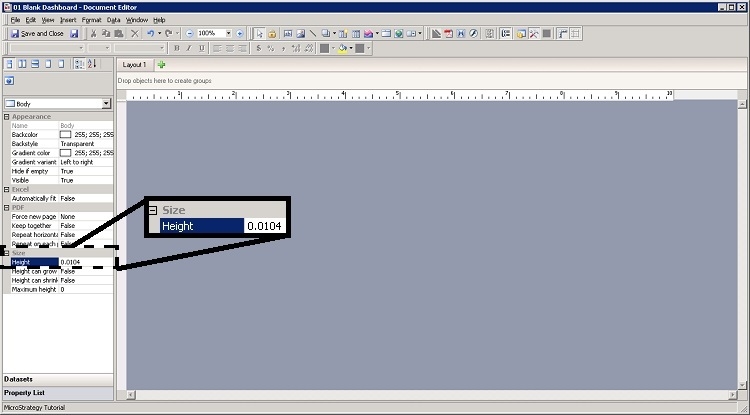
In this case, for an unknown reason, the height of the Dashboard body was defined to a value lower than one pixel.
SOLUTION:
1) Edit the Dashboard in Strategy Web or Developer, in this case Developer.
2) Select the Property List option in the left menu then select the Dashboard Body in the dropdown selector.
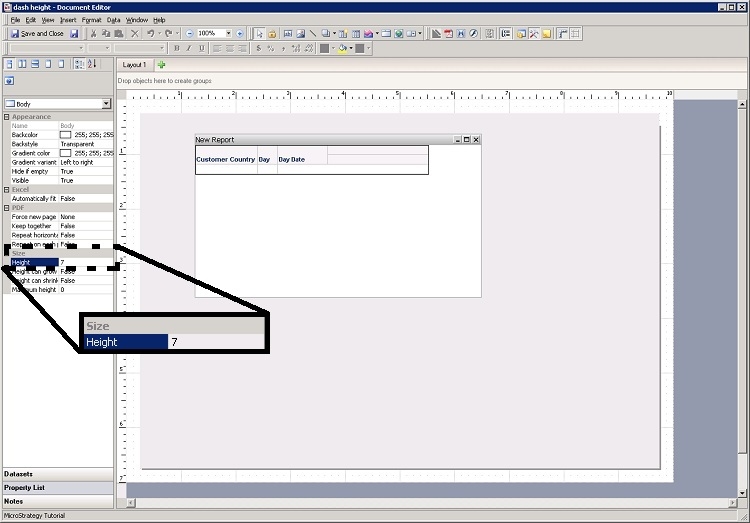
3) Change the Height property to at least 7 pixels for an iPad Landscape template or change it to a value that best address the user's needs, so all Dashboard objects can be visualized in the layout area in design view mode: