SYMPTOM:
Users attempting to install a hotfix onto a Strategy 9.3 environment may encounter the following error:
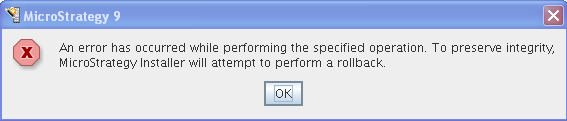
An error has occured while performing the specified operation. To preserve integrity, Strategy Installer will attempt to perform a rollback.
When the user clicks OK they will see the following screen:
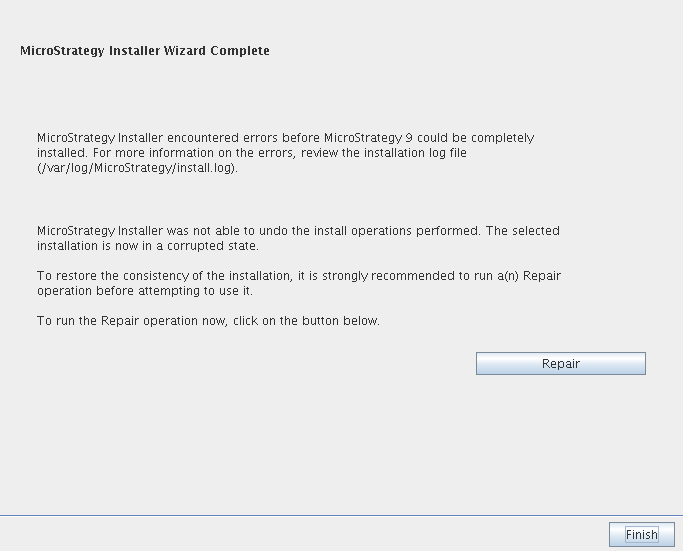
When the user clicks on Repair, they will get another error informing them that the Strategy Installer was not able to find data files for any of the Strategy products. If the user cancels out of the installation and tries to restore a backup 9.3.0 GA installation they will get the following error:
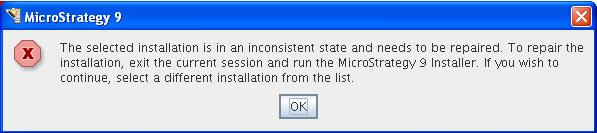
The selected installation is in an inconsistent state and needs to be repaired. To repair the installation, exit the current session and run the Strategy 9 Installer. If you wish to continue, select a different installation from the list.
CAUSE:
The Strategy 9 Installer is referencing a corrupted mstrinstalls.xml file. If the user tries to perform a complete uninstallation and reinstallation of Strategy 9.3.0, they will still encounter errors saying that the installation is in an inconsistent state. This is because the mstrinstalls.xml file does not get removed during a complete uninstallation. Refer to the following Technical Note for more information on which files do not get deleted after an uninstallation of Strategy 9.x in a UNIX environment.
TN: 13235 : How to uninstall Strategy 9.x in a UNIX environment.
ACTION:
If users cannot successfully repair the installation then it is necessary to uninstall and reinstall Strategy 9.3.0. It is important to delete the existing mstrinstalls.xml file after uninstalling the original installation. After deleting the mstrinstalls.xml file and reinstalling Strategy 9.3.0, users should not encounter errors about the installation being in an inconsistent state.
