SYMPTOM:
Enterprise Manager reports in 9.x do not list out all the users on reports containing metrics for user activity. They only list users with some activity while omitting users with zero activity. For example, a report with the "User" attribute and "RP Number of Jobs" metric will only list users whose number of jobs is greater than 0. It will not show users whose number of jobs is 0. However, a report with only the "User" attribute will list out all the users, regardless of their activity. In Strategy 8.x, the correct results were shown even if a user activity metric was on the report.
ACTION:
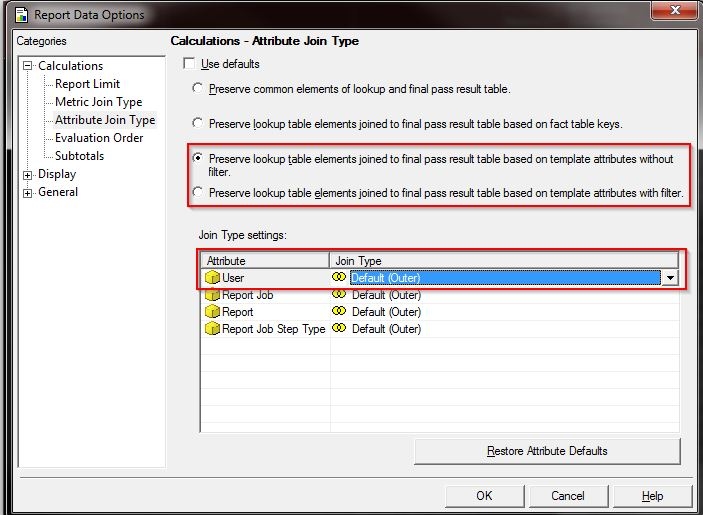
This is working as intended. To list out all the users, perform an outer join of the attribute based on the report template. On the report menu, go to Data > Report Data Options > Attribute Join Type and select one of the last two options (of the four) as shown below. Ensure that the "User" attribute join type is "Outer".
KB43159
